













Best Laser Engravers for Business Under A$4,000
When you are starting a laser engraving business in Australia, you don't necessarily have to break the bank for a five-figure equipment investment. With a budget of A$4,000, you can explore mid-range CO2 laser engraving machines capable of producing personalized products, business signage, promotional merchandise, decorative items, and custom gifts. The key is choosing equipment that matches your products, production volume, and available workspace without stretching your budget unnecessarily.
For a budget of under A$4,000, OMTech Australia offers three machines worth considering in this price range: the Turbo-535 50W CO₂ laser engraver, Turbo-646 60W CO₂ laser engraver, and Polar Lite 55W desktop laser engraver. Each machine offers a different balance of working space, laser output, and operating convenience, but meets the capacity you need to launch a laser engraving business.
Going through them one after the other, we will compare features, explain what each machine does best, and help you decide which one suits your business and budget.
Note: Prices and availability can change. Check the current OMTech AU product listings before purchasing, and remember to budget for any additional equipment your setup requires.
1. The OMTech Turbo-535 (From A$3,299): A Practical Entry Point for Small Businesses
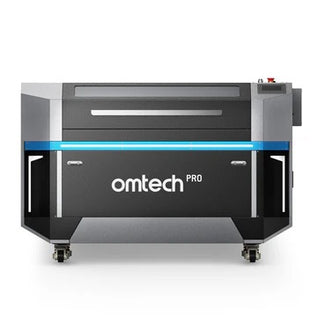
The OMTech Turbo-535 is a 50W CO₂ laser engraver and cutter with a 500 × 300 mm working area. What makes this machine great for business is that it offers a practical combination of laser power and workspace for entrepreneurs who want to start producing personalised products without investing in a larger machine.
Its 500 x 300 mm working area is large enough to accommodate many common small-business projects, including wooden gifts, acrylic decorations, personalised signs, leather accessories, and other products made from compatible materials.
The Turbo-535 also has a maximum engraving speed of 600 mm/s. Although actual production times depend on your artwork, material, and settings, this speed is certainly sufficient as a starting point for businesses producing customised items or small batches.

Why Choose the Turbo-535 for Your Business? 5 Key Features
1. A wide enough working area for everyday products
The 500 × 300 mm working area provides space for a range of common engraving and cutting applications without requiring a particularly large machine. For example, you could use the Turbo-535 to engrave wooden gifts, cut acrylic shapes for decorative products, create personalised signs, or produce branded items for local customers.
You can also arrange several smaller products in one layout, depending on their dimensions and the space needed between them. This can help you process batches of products without purchasing a larger machine before you need one.
2. 50W CO₂ laser power for cutting and engraving
The Turbo-535 uses a 50W CO₂ laser designed for cutting and engraving compatible non-metallic materials. CO₂ laser technology is particularly useful for applications involving wood, acrylic, leather, paper, and other suitable materials. It can also engrave clear acrylic, which is an important advantage over many blue-light diode lasers that cannot directly process clear acrylic effectively.
For a business producing personalised gifts, craft products, decorations, or small signs, this material compatibility provides plenty of opportunities to develop different products.
3. A maximum engraving speed of 600 mm/s
The Turbo-535 advertises a maximum engraving speed of 600 mm/s. This can be useful when producing repeated designs, personalising products, or handling small batches of orders. However, maximum engraving speed is not the same as guaranteed production speed. A detailed design may take longer than a simple name or logo, and cutting jobs have different requirements from engraving jobs.
When evaluating the machine for your business, consider the time needed to prepare materials, position products, run jobs, and finish each item.
4. Flexible workbed options
The Turbo-535 includes honeycomb and aluminium blade worktables. Having different workbed options allows you to choose an appropriate support surface for different cutting and engraving tasks. This flexibility can be useful when switching between materials and projects. It also gives you more options for supporting workpieces during processing.
Always follow the manufacturer's instructions when selecting the workbed and configuring the machine for a particular material.
5. A sensible choice for businesses starting out
If you are launching a personalised-product business, keeping your initial equipment costs manageable can leave more money available for materials, packaging, product photography, and marketing.
The Turbo-535 may be worth considering if its 500 × 300 mm working area and 50W laser output meet your production requirements. You can begin with a focused product range and expand as you learn which products sell consistently.
What Kind of Business Is the Turbo-535 Best For?
The Turbo-535 is worth considering for:
- Entrepreneurs launching a small laser engraving business.
- Personalised-gift sellers.
- Craft businesses producing wooden and acrylic products.
- Small workshops making decorative items and signs.
- Businesses producing customised merchandise in small batches.
Choose this machine if you need a capable CO₂ laser engraver but do not require the larger working area of the Turbo-646.

2. OMTech Turbo-646 (From A$3,599): More Working Space and 60W Laser Power
The OMTech Turbo-646 is a 60W CO₂ laser engraver and cutter with a 600 × 400 mm working area. Compared with the Turbo-535, it offers both a larger processing area and higher laser output, making it worth considering for businesses that need more flexibility when handling materials and producing commercial products.
Its working area is particularly useful when you need to process larger signs, decorative panels, or several smaller products in one batch.
The Turbo-646 also advertises a maximum engraving speed of 600 mm/s. It uses manual focusing and includes honeycomb and aluminium blade worktables, giving you flexibility when preparing different materials for cutting and engraving.
Why Choose the Turbo-646 for Your Business?
1. A larger working area for bigger projects
The Turbo-646's 600 × 400 mm working area provides more room than the Turbo-535's 500 × 300 mm area. That additional space can be useful if your business produces larger wooden signs, acrylic displays, decorative panels, or other products that would be difficult to arrange on a smaller bed.
It can also give you more room to arrange multiple smaller products in a single job. Depending on the size and layout of your items, this may help you organise batch production more efficiently.
If your business is likely to handle a wider variety of product sizes, the larger working area may justify choosing the Turbo-646 over the 50W model.
2. 60W CO₂ laser output for cutting and engraving
The Turbo-646 uses a 60W CO₂ laser tube. Compared with a 50W model, the higher rated output may provide more cutting capacity for suitable materials and applications. This can be useful for businesses that want to produce both engraved designs and cut components. For example, you could create personalised gifts, cut shapes for acrylic displays, produce wooden signs, or make decorative components for other products.
However, higher wattage does not guarantee a particular cutting depth or finish. Material composition, thickness, focus, and machine settings all affect the results.
3. A maximum engraving speed of 600 mm/s
Like the Turbo-535, the Turbo-646 advertises a maximum engraving speed of 600 mm/s. This means you should not choose between these two machines based on maximum advertised engraving speed alone. The more important differences are their laser output and working area.
If you frequently process larger products or want more room for batch layouts, the Turbo-646 may offer a more useful upgrade than a machine with a similar advertised speed but a smaller bed.
4. Honeycomb and aluminium blade worktables
The Turbo-646 includes honeycomb and aluminium blade worktables, allowing you to configure the workbed for different applications. Having both options can be useful when moving between smaller items, sheet materials, and different cutting tasks.
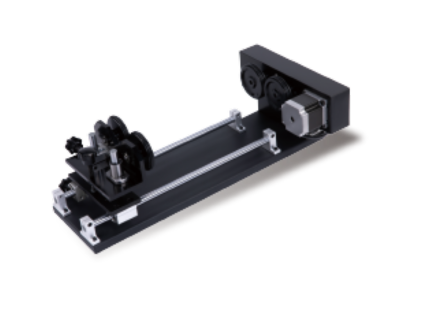
The machine also supports rotary attachments sold separately, which can expand your options if you intend to personalise compatible cylindrical products such as cups and bottles. Remember to check the required accessories and available clearance before planning a product range around rotary engraving.
5. A practical choice for growing production needs
If your business is already receiving regular orders, a larger working area can help you accommodate a broader range of products. The Turbo-646 may also be a suitable choice if you expect to expand from small personalised gifts into larger signs, displays, or more involved cutting projects.
What Kind of Business Is the Turbo-646 Best For?
The Turbo-646 is worth considering for:
- Small businesses producing custom signs and displays.
- Personalised-product businesses that need a larger working area.
- Workshops processing wood and acrylic.
- Businesses that want to arrange more products in each batch.
- Entrepreneurs expecting to expand their product range.
Choose the Turbo-646 if the larger working area and 60W laser output offer practical advantages for the products you intend to make.

3. The OMTech Polar Lite (From A$3,299): A Compact Laser Engraver for Product Personalisation
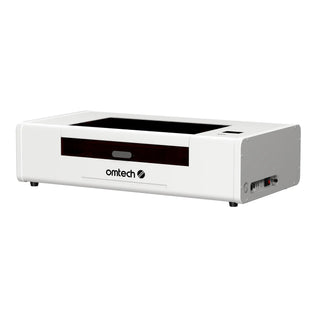
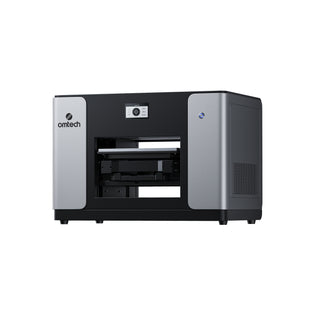
The OMTech Polar Lite is a 55W desktop CO₂ laser engraver and cutter with a 500 × 300 mm working area. Unlike the Turbo machines, which use a more traditional cabinet-style format, the Polar Lite is designed around a compact desktop setup.
It combines a 55W CO₂ laser with features such as autofocus, an integrated camera, and a built-in cooling system. These features can make it an attractive option for entrepreneurs who want a compact machine for personalised products and small-business applications.
The Polar Lite advertises a maximum processing speed of 500 mm/s. Although this is lower than the 600 mm/s advertised by the two Turbo models, speed is only one part of the buying decision.
For a business producing smaller personalised items, its desktop format and integrated features may be more valuable than the additional working space offered by the Turbo-646.
Why Choose the Polar Lite for Your Business?
1. A compact design for smaller workspaces
Not every entrepreneur has a dedicated workshop. If you operate from a small studio, home workspace, or compact commercial environment, the Polar Lite's desktop design may make it easier to incorporate laser engraving into your existing setup.
Its working area is suitable for many small products, including personalised gifts, wooden decorations, acrylic items, and other compatible materials.
However, a compact design does not remove the need for proper ventilation, safe operating clearance, and appropriate installation. Plan your workspace around the manufacturer's requirements before using the machine.
2. 55W CO₂ laser power for versatile product creation
The Polar Lite's 55W CO₂ laser supports cutting and engraving on compatible materials, including wood, acrylic, leather, and other suitable non-metallic materials. This gives you options for producing customised merchandise, decorative products, small signs, and personalised gifts.
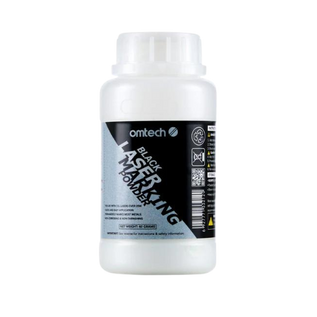
Like the Turbo models, the Polar Lite can engrave clear acrylic. It can also mark certain coated metals when used with a suitable marking compound, although it is not a substitute for a fibre laser when direct engraving of bare metal is your main requirement.
3. Autofocus helps simplify setup
The Polar Lite includes one-click autofocus, which helps simplify the process of setting the correct focus for a job.
This can be useful if your business regularly switches between different products or materials. Reducing manual setup steps can make the workflow more convenient, particularly when you handle several small orders throughout the day.
4. A built-in camera helps with positioning
The integrated camera provides a view of the work area, helping you position designs relative to the material. This is particularly useful when personalising existing products or positioning artwork on individual items. For example, you may need to place a name or logo on a wooden gift, decorative object, or other compatible product.
5. Integrated cooling and exhaust features
The Polar Lite incorporates a built-in cooling system and exhaust fans. These features can simplify installation compared with configurations that require separate components. However, integrated exhaust fans do not automatically eliminate the need for appropriate fume management. You must still follow OMTech's requirements for ventilation and safe exhaust routing.
6. A convenient option for personalised products
The Polar Lite may be particularly attractive if your business focuses on smaller products rather than large-format cutting. Its compact design, autofocus, and camera can support a workflow built around personalised gifts, small craft products, and customised merchandise.
If you are choosing between the Polar Lite and the Turbo-535, consider whether the Polar Lite's integrated features are worth prioritising over the Turbo-535's higher advertised maximum engraving speed.
What Kind of Business Is the Polar Lite Best For?
The Polar Lite is worth considering for:
- Home-based entrepreneurs.
- Personalised-gift businesses.
- Small craft brands.
- Businesses producing small wooden and acrylic products.
- Entrepreneurs who value autofocus and camera-assisted positioning.
Choose the Polar Lite if its compact design and integrated features suit your workspace and production process.

How to Choose Between These Three OMTech Laser Engravers
The best laser engraver under A$4,000 is not necessarily the machine with the highest wattage or the fastest advertised speed. You need to choose a machine that fits your products, workspace, and production requirements. Here are the main factors to consider.
Working Area and Product Size
The working area determines the size of the material you can process within the machine's standard working space and how you can arrange products for batch production.
- Choose the Turbo-535 if a 500 × 300 mm working area is sufficient for your projects and you want a 50W CO₂ laser.
- Choose the Turbo-646 if you need a larger 600 × 400 mm working area for bigger products or more flexible batch layouts.
- Choose the Polar Lite if you mainly produce smaller items and prefer a compact desktop machine.
Think about the largest products you expect to make, not just the items you sell today. However, avoid paying for additional capacity unless it supports your actual business plans.
Laser Power and Cutting Requirements
The Turbo-535 offers 50W of CO₂ laser power, the Polar Lite offers 55W, and the Turbo-646 offers 60W. Higher rated output can be useful for certain cutting applications, but wattage alone does not determine the quality or speed of every job.
Your results will depend on the material, its thickness, the design, the focal position, and the settings used:
- If you mainly engrave names, logos, and simple designs on smaller products, the 50W Turbo-535 may be sufficient.
- If you need more working space and higher laser output, the Turbo-646 is worth considering.
- If you prefer a compact desktop format with autofocus and camera assistance, the Polar Lite may be the better fit.
Engraving Speed and Everyday Setup
The Turbo-535 and Turbo-646 reach a maximum engraving speed of 600 mm/s, while the Polar Lite engraves at a speed of up to 500 mm/s. These are maximum advertised speeds, not guaranteed production times. The time needed for a job depends on the design, material, settings, and amount of handling involved.
You should also consider how easily you can prepare each job. Autofocus and camera-assisted positioning can be useful when you frequently switch between products, while manual focusing may be perfectly manageable if you work with a consistent range of materials.
Workspace and Installation
Consider the physical size of the machine as well as its working area. The Polar Lite's desktop format may be attractive for a small studio or home-based business. The Turbo-535 provides a 500 × 300 mm working area in a cabinet-style machine, while the Turbo-646 offers a larger 600 × 400 mm bed and a larger overall footprint.
Whichever machine you choose, allow room for loading materials, maintenance, cooling, and safe operation. You will also need suitable ventilation and a safe route for extracting fumes.

Total Startup Cost
A A$4,000 budget should cover more than the machine alone. Depending on the model and package you choose, you may also need to budget for:
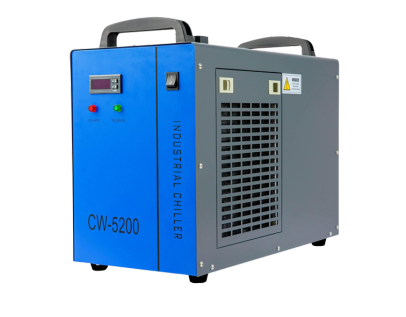
- Cooling equipment or compatible cooling accessories.
- Ventilation and fume extraction.
- Design software.
- Rotary attachments for cylindrical products.
- Materials and test pieces.
- Packaging and other business essentials.
Check exactly what is included with each machine and whether the listed price reflects your preferred configuration.
If you are launching a new business, keeping some money available for materials, packaging, product development, and marketing can be just as important as choosing the machine itself.
Best OMTech Laser Engravers Under A$4,000: Quick Comparison
| Machine | Laser Power | Working Area | Advertised Maximum Engraving Speed | Main Advantage | Best For |
|---|---|---|---|---|---|
| OMTech Turbo-535 | 50W | 500 × 300 mm | 600 mm/s | Practical CO₂ cutting and engraving capabilities | Beginners, personalised-product sellers, and small workshops |
| OMTech Turbo-646 | 60W | 600 × 400 mm | 600 mm/s | Larger working area and higher laser output | Small businesses processing larger products or batches |
| OMTech Polar Lite | 55W | 500 × 300 mm | 500 mm/s | Compact desktop design, autofocus, and camera | Home-based businesses and small-product personalisation |
Prices, stock status, configurations, and package contents can change. Confirm the latest details on the OMTech UK product pages before purchasing.
Final Thoughts: Which Is the Best Laser Engraver Under A$4,000?
You do not need to spend more than A$4,000 to find a CO₂ laser engraver that can support a small business. The key is to choose a machine that matches the products you want to make, the space you have available, and the level of production you expect.
- The OMTech Turbo-535 is a practical starting point if you need 50W CO₂ laser power and a 500 × 300 mm working area for personalised products and small-batch production.
- The OMTech Turbo-646 is worth considering if you need more working space and 60W laser output for larger products or more flexible batch layouts.
- The OMTech Polar Lite is an attractive option if you prefer a compact desktop machine with autofocus, camera-assisted positioning, and integrated cooling features.
Before making your final decision, compare the current prices and package contents, check stock availability, and calculate the full cost of setting up your machine. Then consider which features will genuinely help you produce your intended products more efficiently.
Ultimately, the best laser engraver under A$4,000 is the one that gives your business the capabilities it needs without taking money away from other essential parts of getting started.