










Which Laser Engraving Machine is Best For You? 4 Steps to Decide
A lot of people assume the best laser engraving machine is the most expensive one, or the one with the highest power rating. That isn't true. Premium models can cost thousands (or even tens of thousands) of pounds, but a higher price doesn't guarantee a better fit for what you want to make.
To decide which laser engraver is best for you, look at your budget, your safety requirements, and the materials you plan to work with. If you are a beginner, you ideally want a machine with user-friendly software, strong community support, and a safety-certified enclosed design.

How to Know Which Laser Engraver You Need in 4 Steps
Step 1: Identify the items you want to engrave, and what they are made from
The first step in choosing the right laser engraver is to define the products you want to engrave or cut. This matters because laser-engraved products come in many forms, and different products need different types of laser engraving machines. Ask yourself two questions:
- What kinds of items do I want to engrave? For example, cutting boards, drink coasters, tumblers, wallets, keyrings, or jewellery. This decision is usually based on a skill you already have and would like to market through laser engraving, or on ideas that inspire you.
- What materials are those items made from? Cutting boards are usually wood, coasters may be slate or cork, tumblers are metal, and keyrings are wood or acrylic.
The answers will guide you to a machine that is compatible with the products you want to make. If you choose the wrong type of laser engraver, you may not be able to create the items you had in mind.
Step 2: Choose the correct type of laser engraving machine
The golden rule is to choose the type of laser engraving machine that is compatible with at least 80% of the materials you intend to engrave. There are many types of laser engraving machines, and each has a different wavelength, which makes it suitable for only a limited range of materials.
- Diode laser engravers: These handle wood, leather, and cardboard well, but open-frame models require separate safety goggles and proper ventilation. Best for affordable entry-level crafting (roughly AU$130 to under AU$900).
- CO2 laser engravers: Best for faster, deeper cutting and engraving on organic materials such as wood and leather, as well as thick acrylic (from about AU$550 to several thousand).
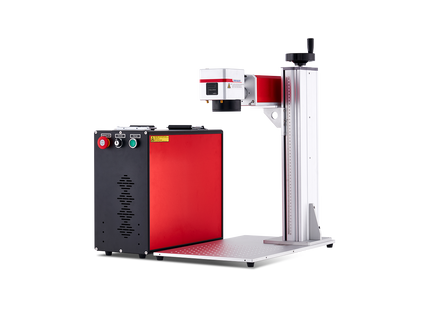
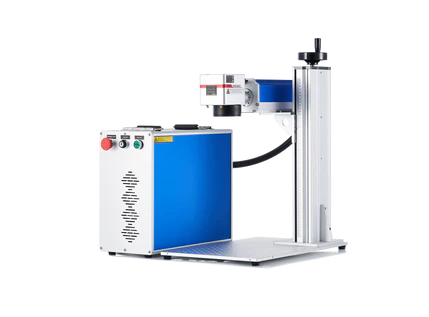
- Fibre laser engravers (1064 nm, near-infrared): Best for metals, plastics, and precision jewellery or tumbler marking.
So, if most of the items you intend to engrave are made of wood, a diode or CO2 laser engraver is the best choice. If most of them are made of metal, a fibre laser engraver is the logical choice. It all depends on the materials you will be working with.
Step 3: Choose a model within your budget
Your budget is a key deciding factor. Decent laser engraving machines exist at almost every budget level, so your goal is usually to choose the best model within your range. Laser engraving machines generally fall into five budget categories:
- Entry level/beginner (AU$130–AU$350): Usually 5–10W open-frame diode laser engravers.
- Hobbyist Laser Engravers (AU$500–AU$900): Usually K-40 style desktop CO2 laser engravers for home use. These are best if you're a hobbyist with hopes of going commercial in the long run.
- Small business Laser Engravers (AU$1,300–AU$3,500): Desktop CO2 laser engravers for small businesses such as Etsy shops and gift shops.
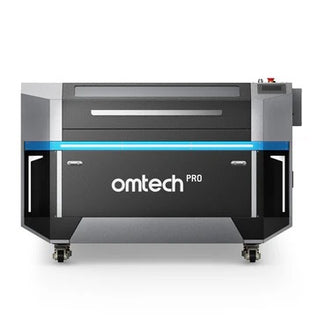
- Cabinet CO2 laser engravers (AU$ 2,600–AU$5,200+): These are usually mid-range 50W to 80W CO2 laser engravers for medium- to large-scale businesses. Prices vary with the power of the machine and the amount of workspace. 50W CO2 laser engravers in this category cost about AU$2,800–AU$3,500, while larger, more advanced models 90W+ models may cost about AU$ 3,600–AU4,500+.
- Laser Engravers for metal (AU$3,00–AU$5,000+): Prices vary depending on whether the machine is a Q-switched or MOPA fibre laser. Entry-level 20W and 30W fibre lasers (Q-switched or MOPA) may cost about AU$2,000, while advanced 60W+ MOPA JPT fibre lasers may cost AU$8,000 or more.
Step 4: Make sure it has the essential safety features and software
- Enclosure and ventilation: If you are choosing an affordable entry-level model, make sure it is an enclosed Class 1 machine, or that you are able and willing to build a proper enclosure with an inline exhaust fan to vent toxic fumes outside.
- Eye protection: Don't rely on cheap or included safety glasses. Purchase certified laser safety glasses rated for your machine's wavelength.
- Software: LightBurn is the gold-standard software for operating most diode and CO2 laser machines. If a machine isn't LightBurn compatible, this may become a problem in the long run.
Recommended laser engraving machines for every price range
| Category | Recommended brands/models | Notes | Warnings |
|---|---|---|---|
| Best budget/beginner diode | Ortur Laser Master series (e.g., LM2 Pro) and Creality Falcon series | Highly recommended for entry-level hobbyists who want to learn. These are inexpensive open-gantry setups with large online communities. | Open-frame designs may not meet UK safety requirements. Always check the laser class and the UKCA or CE marking before you buy. |
| Best premium hobbyist/crafting | K40 laser engraving and cutting machines | Favoured for being user-friendly. While more premium-priced than entry-level diodes, they offer smooth software integration and are highly customisable. | Many generic K40s do not meet safety regulations out of the box, so check the laser class before buying (the OMTech K40+ is listed as Class 1). You can also upgrade parts to make an older machine compliant. |
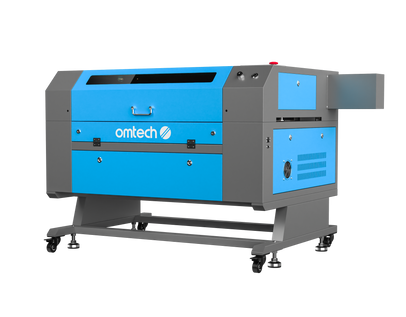
| Best small business CO2 | OMTech (Polar Lite 55W or Turbo series, 50W–90W) and Thunder Laser (Nova series) | These are considered professional workhorses. OMTech is favoured for value in high-power cutting and clear acrylic projects. | Great for business use. These machines typically include standard safety features, but confirm the specifications for your model. |
| Best for metal marking | OMTech galvo and MOPA fibre laser engravers, or ComMarker B4 | For deep metal etching, a dedicated fibre laser is a strict requirement. | Use fume extraction and certified eye protection rated for the correct wavelength. |

OMTech's best laser engravers for beginners, small businesses, and metal engraving
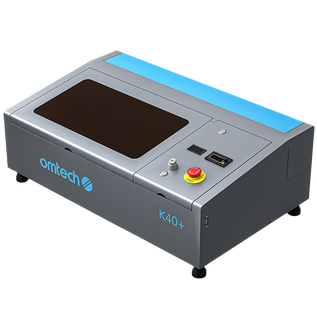
1. OMTech K40+ laser engraving machine: Best for home and hobby use
The OMTech K40+ laser cutter offers a 300 × 200 mm engraving area, ideal for custom signs, gifts, acrylic projects, leatherwork, and more. It is rated Laser Class 1, is compatible with LightBurn, and delivers reliable performance, precise cuts, and clean engravings on wood, acrylic, leather, and other compatible materials.
It is easy to set up and operate, making it an ideal desktop solution for beginners entering the world of laser engraving and cutting.
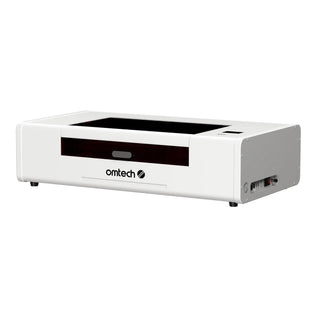
2. OMTech Polar Lite desktop laser engraver: Best for small businesses
The OMTech Polar Lite 55W laser cutter offers a 500 × 300 mm engraving area with autofocus, ideal for larger custom signs, gifts, acrylic projects, leatherwork, and much more. Its powerful 55W CO2 laser delivers precise cuts and clean engravings on wood, acrylic, leather, and many other materials.
This machine is designed for beginners, makers, and small businesses looking to get started with professional-quality laser engraving and cutting.
3. OMTech M20C MOPA laser engraving machine: Best metal engraving machine for beginners
The OMTech M20C 20W MOPA fibre laser is built for fast, detailed marking on metals and other compatible materials. With a marking speed of up to 10,000 mm/s, ±0.01 mm marking accuracy, and one-click autofocus, it is well suited for engraving logos, serial numbers, barcodes, jewellery, and personalised designs.
Compact and efficient, the M20C is a practical choice for workshops, businesses, and professionals who need precise, versatile metal engraving in a space-saving desktop setup.
You can compare every machine, with current prices, on the OMTech Australia laser machines page.

Final thoughts on choosing the Best Laser Engraving Machine
The best laser engraving machine isn't the most expensive one or the one with the highest power rating. It's the one that fits what you want to make. Start with your products and the materials they're made from, choose the laser type that suits at least 80% of those materials, and then pick the best model within your budget.
Before you buy, check the practical details: an enclosed design or a proper ventilation setup, certified eye protection rated for your machine's wavelength, and software that works with your machine. These matter as much as the specifications.
Finally, match the machine to the job. A diode or K40 laser suits home and hobby projects, a desktop CO2 laser suits small-business work, and a MOPA fibre laser suits metal marking. OMTech offers machines in each of these categories, so you can choose the one that fits today and upgrade as your projects grow.
Still not sure which machine to choose? You can visit an OMTech showroom to see the machines in action.