













Buying a Laser Cutting Machine? Here’s What Actually Matters
Most people overthink this. They spend weeks reading spec sheets, joining international forums, and asking five different questions in Facebook groups, only to get six different answers.
Here is the truth: the decision is much simpler than it looks. You just need to answer one fundamental question first.
What specific materials are you planning to cut?
Everything else—the wattage, the bed size, the software, and the price tag—follows directly from that.
Material First. Machine Second.
The absolute first step is separating your workflow into one of two distinct camps:
-
The Non-Metal Camp (CO₂ Lasers): Materials like timber, acrylic, leather, cardboard, and textiles all respond beautifully to a CO₂ laser cutting machine. The infrared beam wavelength matches exactly what organic and soft materials absorb, resulting in crisp vector cuts, smooth edges, and reliable depth.
-
The Metal Camp (Fiber Lasers): Materials like mild steel, stainless steel, aluminium, brass, and copper require a fiber laser. The wavelength is much shorter, allowing bare metals to absorb the energy rather than reflect it.
A common trap: New makers often buy a CO₂ laser hoping they can "tweak the settings" to cut sheet metal. It simply will not work—the physics of the light wave won't allow it. Non-metal goes CO₂; metal goes fiber. That is 80% of your decision sorted right there.
If You Work With Timber
A laser cutting machine for wood is easily the most common setup for Australian small businesses—Etsy makers, custom signage shops, architectural model builders, and boutique furniture creators.

When processing common local materials like structural ply, MDF, or native hardwoods (such as Tasmanian Oak or Jarrah), a high-quality CO₂ tube handles the job without much fuss. The real question you need to ask is about thickness and speed:
-
60W Machines: Cleanly cut through 6mm craft plywood in a single pass. This easily covers the vast majority of cake toppers, blank gift shapes, and basic sign layouts.
-
80W to 100W Machines: If your business model requires you to cut 12mm hardwoods or thick MDF panels daily, stepping up in wattage is a must. It gives you a much faster travel speed and avoids the need to run multiple passes, which can char the edges of the timber.
A note on workspace footprint: A standard 700 x 500mm (20 x 28 inch) bed size fits most sheet stock cut-downs available at local hardware chains. Only invest in a massive cabinet machine if your physical end products genuinely demand that scale.
💨 Essential Workshop Tip: Wood smokes heavily. You cannot operate a commercial laser in an enclosed Australian shed or garage without a proper ventilation strategy. Budget for a high-volume inline exhaust fan vented cleanly outside, or an advanced multi-stage fume filtration system before day one.
Acrylic Is Where CO₂ Truly Shows Off
Laser cutting acrylic is one of the cleanest, highest-margin jobs a CO₂ machine can perform.
Unlike traditional mechanical routers that leave rough, chipped edges that require tedious hand-sanding and polishing, a CO₂ laser melts the plastic precisely as it cuts. The edge emerges from the machine with a beautiful, crystal-clear, flame-polished finish straight away.
This is a massive game-changer for retail display fabricators, event signage businesses, and custom medal makers:
-
Cast Acrylic: Always specify cast acrylic for engraving jobs—it frosts to a crisp, brilliant white.
-
Extruded Acrylic: While fine for basic vector cutting, extruded lines can sometimes leave a slightly milky, less consistent edge under a laser.
Just like timber, acrylic off-gasses a distinct, pungent chemical fume during processing. Ensure your extraction system is fully configured before processing your first batch of acrylic sheets.
Architectural Models and Precision Work
Laser cutting architectural models is a highly precise niche operating across local design firms, property development offices, and university labs.
Model makers need to slice thin cardstock, balsa wood, and translucent acrylic sheet into highly intricate, perfectly interlocking components—building facades, structural floor plates, and miniature landscaping contours.
Because the laser head moves precisely via digital vector paths, you can export a DXF or SVG file straight from your CAD software into LightBurn. Every single structural panel emerges completely identical, with zero manual blade variation. For this style of thin-material prototyping, raw wattage matters far less than motion-system precision and tight beam focus. A mid-range, highly accurate 50W or 60W desktop unit is often the ideal tool for the job.
If You Need to Cut Metal Sheet

A laser cutting machine for metal occupies an entirely different category of manufacturing. It involves significantly more power, a larger workshop footprint, and serious industrial three-phase power infrastructure.
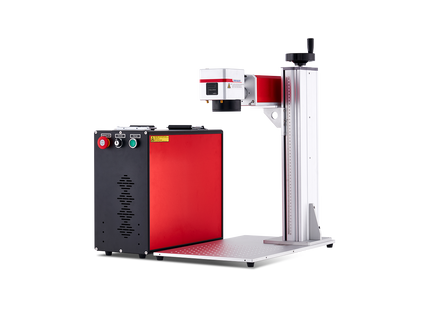
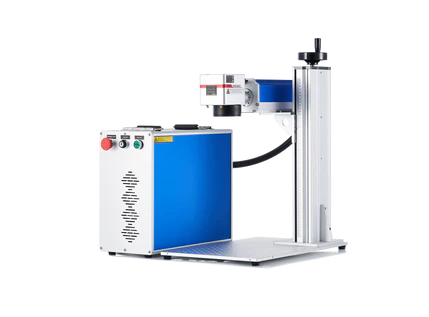
While marking a serial number onto a metal part can be done with a compact benchtop Galvo fiber unit, physically cutting through sheets of structural steel or aluminium plate requires a kilowatt-class fiber cutter (1000W to 3000W and above). These heavy-duty platforms are the backbones of local commercial fabrication engineering firms, HVAC ducting plants, and industrial components manufacturers.
According to industrial laser manufacturing data, fiber laser systems convert electrical energy into raw optical cutting power much more efficiently than legacy gas lasers. For high-volume fabrication shops running sheets all day long, this immense efficiency translates to significantly lower ongoing utility costs per part—easily justifying the higher initial capital investment.
Wattage Guide: How Much Grunt Is Enough?
People frequently buy more wattage than their daily material list actually requires. If you are predominantly processing thin, delicate balsa wood or engraving leather patches, a massive 130W laser is actually harder to control at very low power percentages.
Use this realistic breakdown to map your business needs:
-
40W to 60W: Perfect for home studios, weekend hobbyists, and light crafting using materials under 6mm thick.
-
60W to 80W: The ideal sweet spot for emerging Etsy businesses, gift shops, and sign makers processing 6mm to 9mm stocks cleanly.
-
80W to 130W: Built for high-volume commercial workshops, industrial signage production, and cutting thick 12mm+ structural timbers or acrylic displays at high travel speeds.
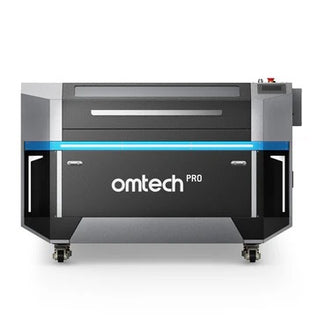
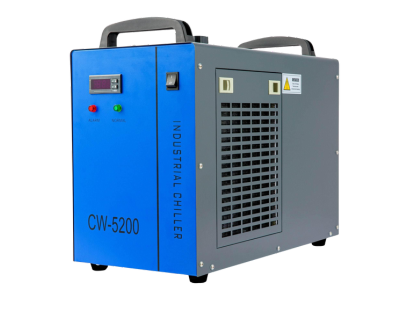
If you are looking for a reliable workhorse that sits right in the professional sweet spot, platforms like the OMTech Pro Series 2440 (80W/100W) CO₂ Laser are built exactly for this space. Equipped with a robust cabinet, integrated autofocus to speed up job changeovers, and a built-in refrigerated water chiller to protect your laser tube during hot summer production runs, it handles wood, acrylic, and leather daily without breaking a sweat.
Frequently Asked Questions
Can a CO₂ laser cut clear acrylic?
Yes, absolutely. Clear acrylic absorbs the infrared wavelength of a CO₂ laser beautifully, resulting in a perfectly transparent, flame-polished edge right out of the machine bed.
What is the best laser type for cutting custom sheet metal parts?
To cleanly cut through raw sheets of stainless steel, mild steel, or aluminium, you require a dedicated high-power Fiber laser cutter (typically starting at 1000 Watts and above).
How do I decide between a 60W and a 100W CO₂ laser for my shop?
Choose based on your required production speed and material thickness. A 60W laser can cut most common craft woods, but a 100W laser will cut those same materials at significantly faster travel speeds and can comfortably slice through much thicker, denser hardwoods in a single pass—saving you substantial time over a busy production shift.