













How to Buy a Desktop Laser Engraver
There are three key factors to consider when buying a desktop laser engraver. Before comparing individual machines, it helps to establish what you need from your equipment. Start with these three considerations.
1. Choose the Right Type of Desktop Laser Engraver
Just like there are different types of laser engraving machines, there are also different types of desktop laser engravers. Desktop laser engravers generally fall into three categories: CO2, diode, and fiber laser machines.
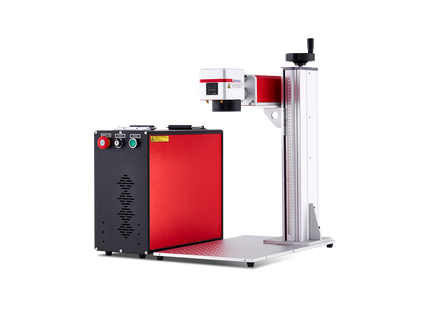
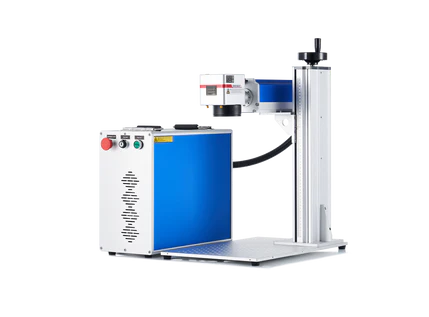
From a visual perspective, desktop fiber laser engravers are very obvious to tell apart because they have a different optical system and beam delivery features, but desktop CO2 and diode laser engravers, especially the open-frame desktop models, can sometimes be very similar.
But, more importantly, the differences between these three types of laser engravers are not only physical: they interact differently with materials, which in turn determines what you can engrave or cut.
i. Desktop Diode laser engravers: Best if You are a Beginner Working on Basic Materials
Diode desktop laser engravers (usually 10W-40W)are best if you are an absolute beginner who intends to start with laser engraving on wood, basic leather, and other soft non-metals, and have no interest in laser cutting just yet.
-
The main advantage of diode desktop laser engravers is that they are generally more affordable and compact than CO2 or fiber models, and this is what makes them an absolute favorite for beginners and hobbyists.
-
Open-frame diode lasers cost about $300-$500, with the more expensive models having a larger engraving work area and offering more laser power.
However, the big setback with desktop diode laser engravers is that their cutting capabilities are often more limited, particularly when working with thicker materials. They also struggle with clear or white acrylic and general metal cutting.

ii. CO2 Desktop laser engravers: Best For Versatility and Performance
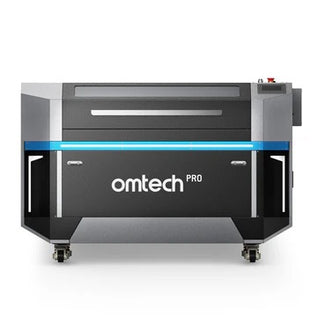
Desktop CO2 laser engravers (usually 40W-60W)are best for faster engraving, cutting thicker materials, and working with both clear and colored acrylic and glass.
Where a desktop CO2 laser excels is in versatility when working with nonmetallic materials such as wood, acrylic, leather, cardboard, paper, and certain plastics. They can both engrave and cut, making them suitable for crafts, signage, personalized products, and small-business production.
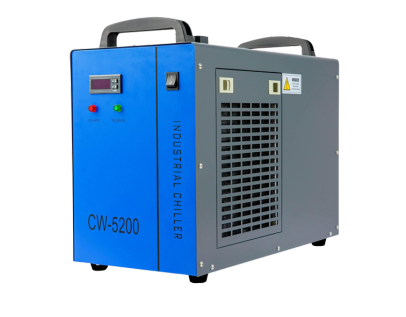
On the other hand, though, they are more expensive compared to desktop diode lasers, take up more space, and require cooling accessories.
iii. Fiber laser engravers: For Metal Engraving
Fiber laser engraving machines (30W-100W+) are primarily designed for Heavy-duty production speed and metal marking, including stainless steel, aluminum, brass, and other compatible materials. They are suitable for jewelry personalization, industrial identification, serial numbers, and metal product customization.
Diode Desktop Lasers vs. CO2 Desktop Lasers vs. Fiber Desktop Lasers
|
|
Diode Lasers |
CO2 Lasers |
Galvo / Fiber / UV Lasers |
|
Examples |
Ortur, Creality Falcon |
OMTech Polar, VEVOR |
OMTech Galvo/MOPA |
|
Best for |
Beginners, wood engraving, basic leather, soft non-metals |
Fast cutting, thick wood, clear or colored acrylic, glass |
High-speed metal marking, deep cylindrical engraving, specialized plastic color-changing |
|
Pros |
Inexpensive (often 300-500), large work area |
Much faster and cleaner cuts than diodes |
Extremely fast |
|
Cons |
Slower cutting, lower power for thick acrylic or metal |
Higher price (700-2,500+), larger footprint, requires cooling management |
Steep learning curve, usually higher cost |
Your choice should depend on the materials you intend to process most frequently. For example, if you want to make wooden signs, acrylic displays, and personalized gifts, a CO2 desktop laser engraver is generally a better choice than a fiber laser. Stronger, faster, and required if you want to cut clear/white acrylic cleanly or do deep work on non-metals.
However, if your primary business involves engraving metal tools, jewelry, and industrial components, a fiber laser may be more appropriate.
2. Determining Your Price and Budget
Desktop laser engravers vary widely in price depending on technology, laser power, working area, build quality, and included features. Most fall into one of three general tiers.
-
Entry-Level / Hobby (130-600): Compact, affordable diode lasers and basic CO₂ units that are great for small coasters, keychains, and learning the ropes. The Genmitsu Kiosk Laser Engraver (2.5W/5W/10W) is a common diode option in this range.
-
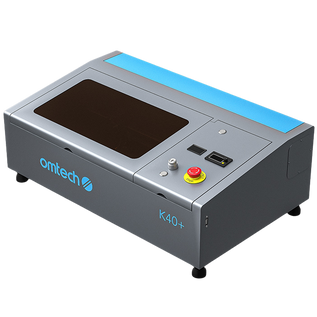
Mid-Range / Small Business (600-2,000): Enclosed diode or entry-level CO₂ laser engravers with faster speeds and larger workbeds, suited to serious hobby work or small-scale selling. The OMTech K40 Plus Desktop CO2 Laser Engraver (currently $799.99) is a popular CO₂ example.
-
Prosumer / Flagship (2,000-3,500+): More advanced desktop machines with built-in cameras, autofocus, and fully enclosed safety covers. The OMTech Polar Lite and the xTool lineup are good examples.
A simple way to choose is to match the tier to your workload. If you are a hobbyist, start at the bottom, but if you sell regularly, move up to the mid-range/small business models, and even higher once slow speeds and setup time start costing you money.
3. Verify Software and Accessory Compatibility
A desktop laser engraver is only as useful as the tools and software you can use with it. Before purchasing, check whether the machine supports the design programs, file formats, and accessories you intend to use.
I. How to Ensure Software Compatibility
You want to make sure your desktop laser engraver is compatible with the best laser engraving software. Remember, you may create your artwork using vector design programs, illustration software, or specialized laser engraving applications.
Common software options include:
-
LightBurn: A popular laser control and design application that supports many CO2 and diode machines, subject to controller compatibility.
-
CorelDRAW: A vector graphics program commonly used to create logos, signs, lettering, and other designs for laser processing.
-
Adobe Illustrator: Useful for creating detailed vector artwork and preparing designs for engraving and cutting.
-
RDWorks: A laser control application used with certain Ruida-controlled CO2 laser machines.
Check which programs your intended machine supports before purchasing. Software compatibility depends on the machine's controller, firmware, and communication interface, not simply whether it is a CO2 or diode laser.
Explore our guide on LightBurn vs LaserGRBL and see what each offers for your projects.
ii. Accessory compatibility
Accessories can significantly expand what you can accomplish with a desktop laser engraver.
For example:
-
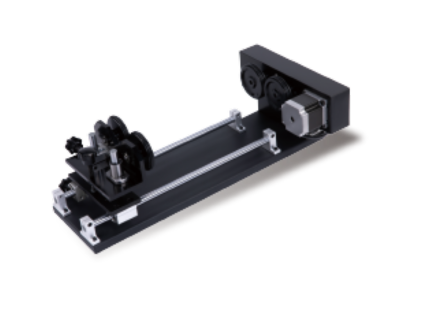
Rotary attachments: Allow you to engrave cylindrical objects such as tumblers, bottles, and glasses when compatible with the laser and work area.
-
Air assist: Directs air toward the processing area to help clear smoke and debris, reducing flare-ups and improving cutting results.
-
Exhaust systems: Remove smoke and fumes generated during engraving and cutting.
-
Honeycomb worktables: Provide support for materials while helping reduce unwanted scorching on the underside.
-
Pass-through openings: Allow longer workpieces to extend beyond the machine's enclosed working area, where the machine is designed to support this configuration.
A machine that supports the accessories you need will give you more flexibility as your projects become more demanding.

Why Do Many People Choose CO2 Desktop Laser Engravers?
Although diode and fiber laser engravers have their own advantages, CO2 desktop laser engravers remain a popular choice among hobbyists, craftspeople, and small-business owners. The main reason is their versatility when processing nonmetallic materials.
A CO2 desktop laser engraver can handle a wide range of materials, including wood, acrylic, leather, paper, cardboard, and certain plastics. This makes it suitable for producing everything from personalized gifts and decorative signs to architectural models, promotional products, and custom business merchandise. Here are some reasons why buyers choose CO2 desktop laser engravers.
1. They Can Both Cut and Engrave.
You can use the same machine to engrave a logo onto a wooden sign, cut the sign's outline, and produce smaller decorative components. This is a huge advantage for businesses that want to offer multiple products without purchasing separate engraving and cutting equipment.
2. They Work With a Wide Range of Materials
Apart from wood and acrylic, they can also handle leather, paper, cardboard, and certain plastics, provided the material composition is verified as safe for laser processing. We at OMTech have noticed that many business owners who purchased the OMTech Polar Lite initially use it for wooden keychains and personalized signs. However, over time, they almost inevitably expand into acrylic displays, custom packaging, and decorative products.
3. They Offer Useful Cutting Capabilities:
Compared with many entry-level diode engravers, CO2 desktop machines generally offer stronger cutting capabilities and can process thicker nonmetallic materials more efficiently.
This is usually a huge selling point, especially for buyers whose projects involve assembling multiple cut components, producing layered designs, or creating three-dimensional objects.
4. They Support a Wide Range of Creative Projects
CO2 laser engravers are useful for applications across several industries, including crafts, interior decoration, personalized gifts, signage, education, and small-scale manufacturing. In one of OMTech’s surveys, here is a range of projects users said they were able to complete with the OMTech Polar 2:
-
Personalized wooden gifts and ornaments.
-
Acrylic signs and displays.
-
Custom packaging and decorative boxes.
-
Leather accessories and engraved products.
-
Architectural models and educational projects.
-
Wedding decorations and event signage.
CO2 vs. Diode vs. Fiber Desktop Laser Engravers
|
Consideration |
CO2 Laser |
Diode Laser |
Fiber Laser |
|
Primary applications |
Cutting and engraving nonmetals |
Engraving and light cutting of suitable nonmetals |
Metal marking and engraving |
|
Wood |
Excellent |
Excellent |
Generally unsuitable |
|
Acrylic |
Excellent, including clear acrylic |
Limited; generally unsuitable for clear acrylic |
Generally unsuitable |
|
Leather |
Excellent |
Good, with suitable materials |
Generally unsuitable |
|
Paper and cardboard |
Excellent |
Good |
Generally unsuitable |
|
Stainless steel |
Surface marking with special treatments or coatings |
Limited marking with suitable coatings |
Excellent |
|
Aluminum |
Limited direct marking; coatings may be used |
Limited marking with suitable coatings |
Excellent on suitable surfaces |
|
Cutting capabilities |
Good for suitable nonmetallic materials |
Generally more limited |
Not the primary purpose of desktop marking systems |
|
Typical strengths |
Versatility and cutting capacity |
Affordability and accessibility |
Metal processing and marking |
Note: These are general comparisons. Actual performance depends on laser power, wavelength, material composition, machine configuration, and processing parameters. Neither CO2 nor diode lasers should be used on unidentified materials, particularly plastics that may release hazardous fumes.
-
If your projects involve multiple nonmetallic materials and require both cutting and engraving, a CO2 desktop laser is generally the most versatile choice.
-
If you primarily want an affordable machine for basic engraving, a diode laser may be sufficient. If you work mainly with metal products, a fiber laser is likely the better investment.
Which OMTech CO2 Desktop Laser Engraver Should You Choose?
Once you’ve decided that a CO2 desktop laser engraver suits your projects, the next question is which model. OMTech’s Polar series has three, and each matches one of the categories above.
The OMTech Polar Lite: Best for Budget-Conscious Beginners and Hobbyists
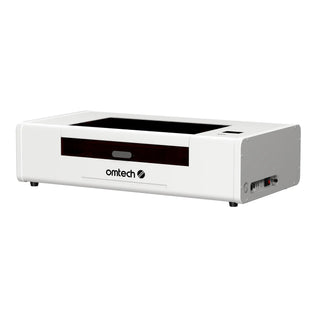
The OMTech Polar Lite is the entry point to our enclosed CO2 desktop machines. Its 55W laser, 20.1 x 11.8 in work area, autofocus, built-in water chiller, and front and rear pass-through cover the essentials for cutting and engraving wood, acrylic, and leather.
It works with LightBurn and can be paired with a rotary attachment. Its top engraving speed is 500 mm/s, so it suits occasional projects, small orders, and learning the ropes better than repeated batch work.
Final Thoughts
Buying a desktop laser engraver is an investment that can open up opportunities for creative projects, personalized products, and even a new business. However, finding the right machine requires more than comparing prices and laser power ratings.
Start by identifying the materials you want to process and the types of projects you intend to undertake. Then consider your budget, software requirements, accessory compatibility, and expected production volume.
Ultimately, the best desktop laser engraver is not necessarily the most powerful or expensive one. It is the machine that gives you the capabilities you need today while leaving enough room to accommodate your future projects and business goals.