













How to Engrave a Crystal Award With a Laser Engraver
Engraving crystal with a laser engraving or marking machine is not like engraving wood, acrylic, or metal; it relies on creating controlled micro-fractures within or on the surface of the material. So, in crystal engraving, you try not just to mark the crystal, but to create a clean, bright engraving that catches light beautifully and remains easy to read from multiple viewing angles.
The good news is that with proper preparation, the right laser settings, and careful handling, crystal award engraving can become one of the most profitable and rewarding services your laser engraving business offers.

What to Prepare Before Engraving a Crystal Award
The first, and perhaps the most important thing to know about engraving a crystal award is that the quality of the engraving project will be largely determined before the laser ever starts firing.
Because crystal is highly transparent and dense, the laser does not "burn" it; instead, it creates uniform micro-fractures on the surface that look like a clean, white frost.
1. Choose a High-Quality Crystal Award
There are several types of crystal glassware. A good first step is to understand how good the crystal you are working with is, and what its strengths and vulnerabilities are, especially after you expose it to a laser. This is important because not all crystal awards are created equal.
- Higher-quality crystal provides better clarity, more consistent engraving, and a more professional finished appearance.
- Premium optical crystal typically produces the best engraving results because it contains fewer impurities and imperfections than lower-grade crystal or glass.
Before engraving, inspect the award carefully for chips, scratches, bubbles, or manufacturing defects that could affect the final appearance. Some common crystal award styles that are quite decent are rectangular towers, obelisks, diamond-shaped awards, star awards, globe awards, etc.
2. Prepare the Artwork
Make sure the design is finalized before setup begins. Most crystal awards include information like recipient names, company logos, award titles, achievement descriptions, dates, and decorative graphics.
So, first, double-check all spelling, dates, and award information. Few mistakes are more costly than discovering a misspelled recipient name after engraving is complete.
If the customer provides a logo, ensure it is high-resolution or vector-based. Clean artwork produces cleaner engraving.
3. Determine the Engraving Area
Engraving a crystal award requires a lot of care because crystal awards often have limited usable engraving space. So, before turning on the laser engraver, measure the award carefully and identify the available engraving area, safe margins, curved surfaces, and potential obstacles.
A design that looks perfect on a computer screen may feel cramped when transferred onto a physical award. Creating a digital template that matches the award dimensions helps prevent layout problems later.
4. Clean the Crystal Thoroughly
If the crystal has any dust, fingerprints, or oils, these may interfere with the engraving quality. So, before engraving, clean the crystal using isopropyl alcohol, glass cleaner, or microfiber cloths. The cleaner the crystal surface, the better the engraving will appear.
5. Test Similar Material First
Whenever possible, test settings on a spare crystal sample before engraving the final award. Crystal is often expensive, and testing helps avoid costly mistakes while allowing you to optimize engraving settings.

Step-by-Step Process for Engraving a Crystal Award
Step 1: Finalize and Verify the Artwork
The first step is preparing and approving the artwork. Verify names, dates, titles, logos, and layout positioning. This must come first because every other stage depends on having a finalized design.
A smart method many engraving businesses use is to send a proof to the customer before production. This simple step can prevent expensive remakes.
Step 2: Import the Design Into Your Laser Software
Once the artwork is approved, import it into your engraving software. For this purpose, as well as many others, we at OMTech strongly suggest you use Lightburn. However, many decent alternatives will do. At this stage, proceed to scale the artwork, position elements properly, adjust the spacing, and verify the engraving dimensions.
This step follows artwork approval because there is little point in configuring machine settings for a design that may still change. The goal is to create a production-ready layout.
Step 3: Position the Crystal Award
Place the crystal award inside the laser machine. At this stage, take extra care to ensure the award sits level, the engraving face is correctly aligned, and movement is impossible during engraving. Here are some tips to ensure perfect alignment:
- Create a template: Cut a cardboard or scrap wood jig that matches the exact outer shape of the award's base to hold it securely in the laser bed.
- Use the masking tape trick: The “masking tape trick” is used to preview your exact text placement before fully committing to the crystal. Cover the front of the crystal with blue painter's tape. Then run the laser at a very high speed and incredibly low power (just enough to slightly discolor or "frost" the tape) to preview your exact text placement before committing to the crystal.
- Check the orientation: If you are engraving on the back side of the award so the text reads smoothly through the front, remember to mirror your design in LightBurn or your chosen software.
This step comes before focusing because the crystal must be in its final position before accurate focus can be achieved. Even a slight shift can ruin the project.
Step 4: Set the Laser Focus
Proper focus is critical for crystal engraving. Depending on the nature of the project, you may focus on the surface, slightly below the surface, or deep within the crystal. The correct focal point depends on whether you are creating surface engraving or subsurface engraving.
This step follows positioning because focus can only be adjusted accurately once the crystal is secured.

Step 5: Configure Laser Settings
The golden rule when it comes to crystal and glass engraving is “low power and fast speed.” Crystal, especially, will crumble, flake, or crack if the power is too much or the speed is too slow. However, there are baseline laser engraver settings for crystal awards for CO2 lasers and diode lasers.
- For a CO2 Laser engraver (e.g., 60 W–100 W): Try roughly 15%–25% Power at 200–400 mm/s.
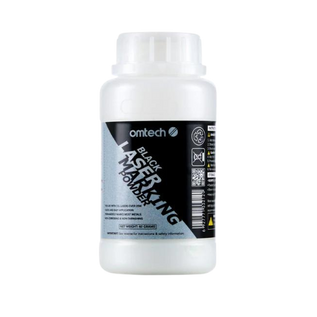
- For a diode laser engraver (e.g., 10W–20W): Try 70%–80% Power at 1500–2000 mm/min (using the black paint coating).
Here are some important tips for configuring your laser engraver settings for crystal engraving:
- DPI/Interval Settings: Drop your resolution down to 200 to 300 DPI (a dot interval of around 0.08 mm to 0.1 mm). If the dots are too close together, they will dump too much localized heat into the crystal and shatter it.
- Dithering: Use "Jarvis" or "Stucki" dithering in your software rather than solid halftone dots. The randomized dot pattern disperses heat much better.
- Consider defocusing slightly: Move your laser bed down (or the laser head up) by 1 mm to 2 mm past the true focus point. A slightly wider, softer beam is always better because it yields a smoother frosted finish instead of sharp, splintered chips.
This stage occurs after focusing because settings often depend on the engraving depth and focal location. Improper settings can create weak engraving, excessive cracking, or poor detail.

Step 6: Run a Small Test
When laser engraving, it is important to test before production whenever possible. During testing, you are evaluating the brightness, detail quality, edge sharpness, and readability of the results thus far. This stage is very important because small improvements at this stage can significantly improve the final result.
Step 7: Begin the Engraving Process
Once everything has been verified, start the engraving job. Monitor the machine throughout the process and pay specific attention to unexpected reflections, position shifts, machine errors, and any other kind of abnormal engraving behavior. Most crystal awards engrave relatively quickly, but it is still important to supervise carefully.
Step 8: Inspection, Post-Processing, and Clean Up
After engraving is complete, inspect the award carefully. This step comes before cleaning because you want to verify engraving quality immediately. Remember to let the crystal cool naturally before venturing to touch it.
Check for missing areas, alignment issues, uneven engraving, and surface damage. Any problems should be identified before packaging.
- Cool and wash the crystal: Let the crystal cool for a minute. Then, wash off the soap, paper towel, or tempera paint in the sink using warm water.
- Scrub the shards: Use a stiff plastic kitchen pad, steel wool, or a brass wire brush under running water to forcefully scrub the engraved text. This safely knocks loose any microshards of glass trapped in the grooves, preventing them from poking someone's fingers later.
- Consider giving it a Pop: If you want the frosted white engraving to contrast vividly against the clear crystal, rub a tiny amount of white Gilder's Wax or Rub 'n Buff into the engraving, then buff away the excess.
Step 9: Clean and Present the Award
The final step is cleaning and preparing the award for delivery. Crystal tends to collect fingerprints and dust during handling. Use a microfiber cloth to restore clarity and ensure the engraving appears bright and professional. Only after cleaning should the award be packaged or presented to the customer.
Why the Laser Engraver Matters in Crystal Engraving
Crystal is one of the more demanding engraving materials because it requires precise energy control. Because it is highly transparent and dense, the laser does not "burn" it; instead, it creates uniform micro-fractures on the surface that look like a clean, white frost. So, the laser engraver plays a major role in determining engraving quality.
- If you are using a CO2 laser, the light naturally reacts with glass, but you need a buffer to prevent extreme heat fractures.
- If you are using a Diode laser, the beam will pass completely through a clear crystal without a dark coating to absorb the energy.
CO₂ Laser Engravers: Best for Glass Engraving
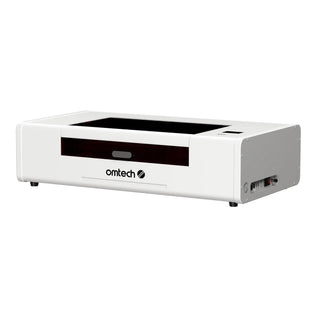
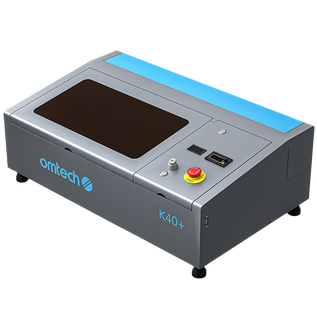
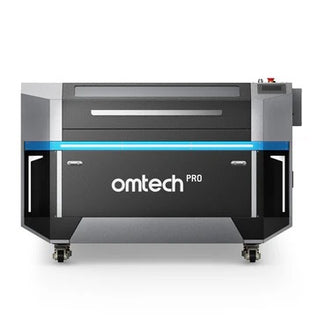
CO₂ laser engraving machines are the most common choice for crystal award engraving, mainly because they offer excellent engraving quality, good speed, strong detail reproduction, and are usually widely compatible with crystal and glass.
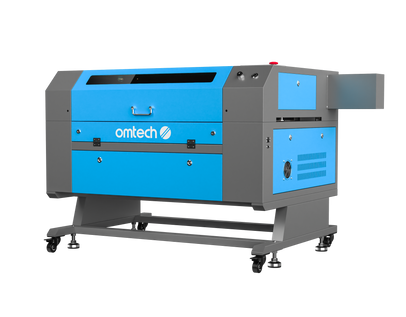
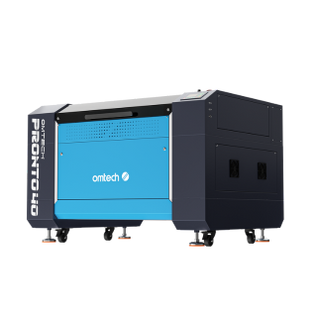
A 60W CO2 laser engraver is an excellent, highly capable tool for engraving crystal awards. In the laser community, 50W to 60W CO2 systems are considered the "sweet spot" for small businesses and professional gift production because they offer fine enough power control to avoid fracturing glass while keeping production speeds high.
 Key Tips for Successfully Engraving a Crystal Award
- Use high-contrast artwork: Simple, clean artwork often engraves better than highly complex designs. Thin lines and tiny details may become difficult to see in crystal.
- Avoid overpowering the material: More power does not automatically mean better engraving. Excessive power can create large fractures, cloudy engraving, and surface chipping. Careful testing helps identify the ideal balance.
- Keep the crystal clean: Dust and fingerprints become surprisingly visible once engraving is complete. Clean both before and after engraving.
- Use proper resolution: Higher resolution generally produces smoother and more detailed engraving. However, excessively high resolution may increase production time without noticeable improvement.
- Handle the awards very carefully: Crystal can chip or scratch during handling. Always transport and package finished awards with care.
 Final Thoughts on Crystal Award Engraving
Ultimately, crystal award engraving combines relatively low production costs with premium perceived value. For laser engraving businesses seeking profitable custom products, crystal awards represent one of the most professional, versatile, and consistently in-demand services available.
By mastering the preparation process, using the right equipment, and focusing on quality control, you can create crystal awards that leave a lasting impression on both customers and recipients.
You may also be interested in the basics of glass laser engraving and how similar the process is to crystal engraving.