














Integrating Laser Cutting Into STEM Curriculum: A Guide for Teachers
I set up a laser cutter in my technology classroom three years ago with a modest A$3,000 grant and absolutely no prior experience. The first few weeks were messy — incorrect settings, smoke alarms triggering, and one very puzzled facilities manager asking what exactly we were doing.

By the end of the first term, everything had changed. Students were producing work that genuinely impressed parents and staff at the school showcase. That experience is exactly why this guide exists. You don’t need a perfect lab or a huge budget to bring a laser cutter into an Australian classroom. What you do need is the right machine for your space, clear safety procedures, and a practical understanding of how laser tools support real learning outcomes.
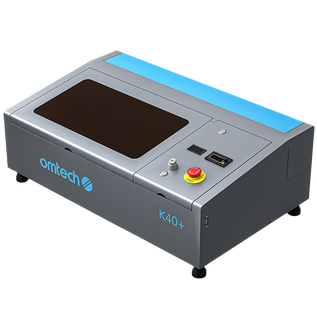
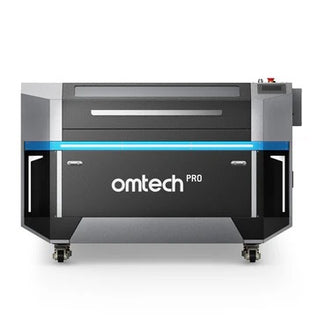
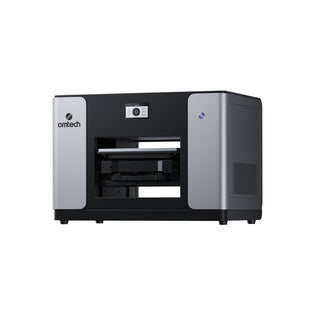
OMTech’s CO2 laser engraver machines are used in workshops, TAFEs, and school makerspaces across Australia. This guide walks through safety requirements, realistic costs in AUD, curriculum integration, setup steps, and which machines actually work in a school environment.

Why Australian Schools Are Adopting Laser Cutters
Walk into a well-equipped STEM or Design & Technologies classroom in Australia today, and you’ll often find a laser cutter in use. That’s not by chance.
Laser cutters give students something most classroom tools don’t: instant, physical results. A student designs something digitally, sends it to the machine, and within minutes is holding a finished object. That immediate feedback loop builds confidence and accelerates design thinking far more effectively than theory alone.
This aligns closely with the goals of the Australian Curriculum, Assessment and Reporting Authority, particularly in Design and Technologies, where students are expected to move from concept to production using real-world tools and processes.
REAL CLASSROOM EXAMPLE (AU CONTEXT)
A secondary school in Victoria introduced a 60W CO2 laser cutter into a Year 9 Design & Technologies class. Within a single term, students were producing laser-cut components for robotics competitions, engraved signage for school events, and prototype enclosures for electronics projects — all designed and manufactured in-house. The machine quickly became one of the most-used tools in the department.

What Type of Laser Cutter Works Best in Schools
Not every laser is suitable for classroom use. In Australia, safety, simplicity, and reliability are essential — especially in shared learning environments.
| LASER TYPE | BEST FOR | SCHOOL USE |
|---|---|---|
| CO2 Laser | Wood, acrylic, leather, glass, paper | Most versatile — ideal for STEM and Design & Tech |
| Diode Laser | Wood, leather, light plastics | Entry-level, occasional use |
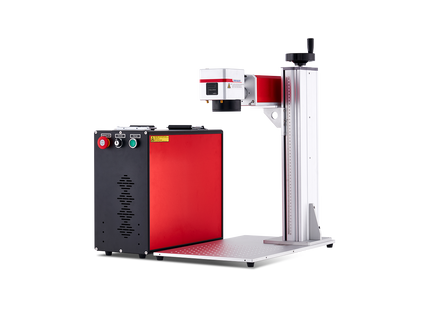
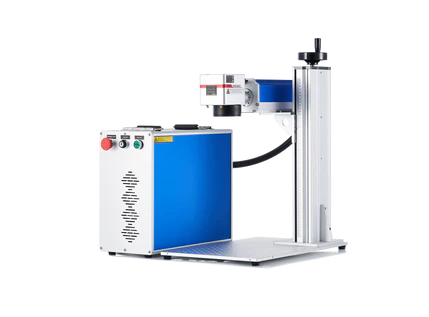
| Fiber Laser | Metal marking | Advanced programs (TAFE / senior secondary) |
| MOPA Fiber | Colour engraving on metal | Specialist or vocational training |
For most Australian K–12 schools, a CO2 laser cutter is the best fit. It supports the widest range of classroom projects without requiring specialised training.

Safety Standards Matter in Australia
Laser machines are classified from Class 1 to Class 4.
- Class 1 (fully enclosed) → Suitable for schools
- Class 4 (open beam) → Not appropriate for classrooms
Class 1 machines include:
- Fully enclosed work areas
- Safety interlocks on doors/lids
- Automatic shutdown if opened mid-job
In Australia, schools must also comply with Work Health and Safety (WHS) regulations, making enclosed systems essential.

Key Factors to Evaluate Before Buying
1. Safety Compliance
Choose a Class 1 enclosed system with built-in interlocks and emergency stop features.
2. Ease of Use for Students
Look for:
- Compatibility with LightBurn
- Autofocus (reduces setup errors)
- Camera preview for accurate positioning
3. Work Area Size
- Small desktop (≈300 × 200 mm) → individual projects
- Larger bed (≈500 × 700 mm or more) → full class efficiency
4. Ventilation & Fume Extraction
Laser cutting produces fumes — proper extraction is mandatory.
| OPTION | COST (AUD) | NOTES |
|---|---|---|
| Inline fan + ducting | $200 – $600 | Requires external vent access |
| Filtered unit (basic) | $1,200 – $2,500 | No external duct needed |
| Filtered unit (premium) | $2,500 – $4,000 | For heavy classroom use |
5. Support & Warranty
Downtime impacts teaching schedules. Choose suppliers offering:
- Local or responsive support
- Spare parts availability
- Installation guidance
Laser Cutter Costs in Australia (Realistic Budget)
| LEVEL | MACHINE TYPE | COST (AUD) | BEST FOR |
|---|---|---|---|
| Entry | 40–55W CO2 | $1,200 – $2,500 | Art rooms, light use |
| Mid-range | 60–100W CO2 | $2,800 – $5,000 | Active STEM labs |
| Advanced | 100W+ CO2 / Fiber | $5,500 – $10,000+ | TAFE / fabrication labs |
Additional Costs
- Extraction system: $200 – $4,000
- LightBurn licence: ~A$90 one-time
- Consumables: $150 – $400/year
- Materials: ongoing classroom supply
Budget Tip
Always plan for the full system cost, not just the machine.
Funding Options in Australia
Unlike the US, Australia doesn’t use NSF/Perkins grants, but schools can explore:
- State government STEM funding initiatives
- Department of Education programs
- Local council education grants
- Industry partnerships (especially mining, engineering, tech sectors)
- P&C (Parents & Citizens) fundraising
How to Integrate Laser Cutting into the Curriculum
Laser cutters are most effective when used within subjects, not as standalone tools.
Engineering & Design
- Robotics components
- Product prototyping
- Arduino enclosures
Art & Design
- Layered wood/acrylic artwork
- Engraved awards
- Relief designs
Science
- Lab holders
- Molecular models
- Specimen labels
Mathematics
- Geometry tools
- Scaled models
- Data visualisation aids
This aligns directly with Australian Design & Technologies outcomes — especially in prototyping, materials use, and digital production.
TEACHING APPROACH (AU-STYLE)
Many teachers run short “design sprints” where students:
- Sketch an idea
- Design it digitally
- Laser cut a prototype in one lesson
By the end, every student has a finished product and a clear understanding of the design-to-manufacture process.
Best OMTech Laser Cutters for Schools
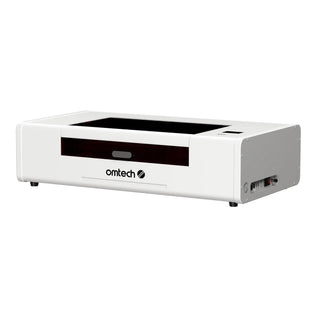
Polar Lite 55W — Entry-Level / Art Rooms
- Built-in water cooling
- Compact and fully enclosed
- Ideal for beginner-friendly environments
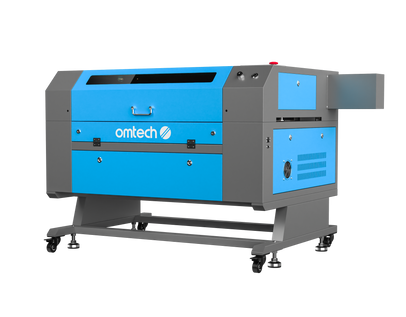
AF2028-60 60W — Active STEM Labs
- Larger working area (higher throughput)
- Camera alignment
- Suitable for engineering projects
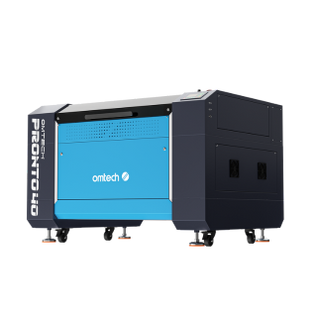
Pronto 45 100W — Advanced / TAFE
- Cuts thicker materials
- Handles high-volume student use
- Ideal for vocational pathways
Step-by-Step: Setting Up a School Laser Program
- Define curriculum goals
- Assess room space and ventilation options
- Set full budget (machine + extraction + materials)
- Explore funding sources
- Choose machine based on real needs
- Arrange installation and training
- Create a written safety protocol (WHS compliant)
- Start with one simple project
Frequently Asked Questions
What is the best laser cutter for Australian schools?
A Class 1 enclosed CO2 laser (55W–100W) is the most practical choice.
How much does it cost in Australia?
Typically A$2,500–A$6,000 for a complete classroom setup.
Is laser cutting safe for students?
Yes — with enclosed machines, proper ventilation, and clear safety procedures.
What materials can be used?
Wood, acrylic, leather, cardboard, glass, slate, and rubber.
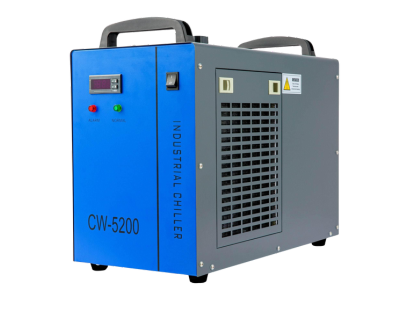
Do schools need a water chiller?
Some machines include one; larger systems usually require an external chiller.
Can beginners use it?
Yes. Most students become confident within 1–2 sessions.
Final Takeaway
Laser cutters aren’t just another piece of equipment — they’re a bridge between digital design and real-world making. In Australian classrooms focused on hands-on learning and practical skills, that bridge is exactly what makes STEM and Design & Technologies come alive.