















Laser Cutters in STEM Education: 10 Projects For Teachers
STEM education is all about helping students understand how science, technology, engineering, and mathematics work together to solve real-world problems. While textbooks and classroom demonstrations can explain these concepts, what you want as a teacher is to give students a practical understanding of how these concepts work and how they can use them to solve problems in daily life.
That's where laser cutting machines come in. A laser cutter allows students to turn digital designs into physical objects by precisely cutting or engraving materials such as wood, acrylic, cardboard, and other suitable materials.
Instead of simply studying geometric shapes, mechanical systems, or engineering structures, students can design and create their own models, test their ideas, and improve their work based on the results.
For teachers, this opens up a wide range of possibilities, from simple mathematics activities to more advanced engineering and robotics projects. Here are 10 practical ways to use laser cutters in STEM education, allowing students to master vital skills through each activity, and how you can get started as a teacher.

1. Creating Geometric Models for Mathematics Lessons
- STEM subjects: Mathematics, Technology
- Recommended level: Middle school and high school
- Materials: Cardboard, thin plywood, or laser-compatible acrylic
Geometry is one of the easiest subjects to explore through laser cutting. Instead of relying entirely on diagrams in textbooks, a teacher can easily use a laser cutter to create physical models that students can measure, assemble, and examine.
For example, students can design and produce two-dimensional geometric shapes, three-dimensional cubes, pyramids, and prisms, tangram puzzles, tessellation patterns, and models demonstrating symmetry and angles.
Example Classroom Project: Build a 3D Geometric Model
The purpose of this project is to guide the students to design a cube or pyramid using CAD software. You can do this in three main steps:
- Start by guiding them to calculate the dimensions of each face, determine how the pieces will fit together, and prepare the design for laser cutting.
- Once the components have been cut, students assemble them into a three-dimensional model.
- They can then measure the finished structure and compare it with their original calculations.
What does this project teach students? Geometry, spatial reasoning, measurement, dimensional accuracy, and basic CAD design. A laser cutter produces consistent shapes and precise edges, making it easier to assemble models and examine how mathematical measurements translate into physical objects.
For schools, this activity can be repeated with different shapes and difficulty levels, allowing teachers to introduce increasingly complex geometric concepts.
2. Building and Testing Model Bridges
- STEM subjects: Engineering, Physics, Mathematics
- Recommended level: Middle school and high school
- Materials: Thin plywood, basswood, or suitable cardboard
Bridge building is a classic STEM activity: it introduces students to structural engineering and the forces acting on physical structures. With a laser cutter, students can move beyond simple craft materials and manufacture precisely designed bridge components.

Classroom Project: Design the Strongest Bridge
- Divide students into small teams and challenge them to design a bridge capable of supporting a specified load.
- Each team receives the same amount of material and must work within the same dimensional limits.
- Make sure the students begin by researching different bridge structures, such as truss bridges, beam bridges, and arch bridges. They then create digital designs and use a laser cutter to manufacture the components.
- Once assembled, you can now test the bridges by gradually applying weight. Students record the maximum load each bridge supports and compare the results.
This activity can become more challenging by introducing material restrictions or requiring students to minimize the weight of their structures. It teaches students structural engineering, forces, load distribution, material efficiency, and experimental testing. Precise cutting allows students to create repeatable structural components and test how design changes affect performance.
This also introduces an important engineering principle: a successful design must balance strength, efficiency, and material usage.
3. Designing Gears and Simple Mechanical Systems
- STEM subjects: Physics, Engineering, Mathematics
- Recommended level: Middle school and high school
- Materials: Plywood or laser-compatible acrylic
Mechanical systems provide an excellent opportunity to demonstrate how forces and motion are transferred between components. Laser cutters allow students to manufacture gears, levers, pulleys, and other mechanical parts that would otherwise be difficult to create accurately using basic classroom tools.

Example Classroom Project: Build a Working Gear System
- Let the students begin by learning how gears transfer rotational motion. This is the theory part of the project.
- Then instruct them to design two or more gears using suitable CAD software. The gears can have different numbers of teeth, allowing students to investigate how gear ratios affect rotational speed and torque. For example, students could design one gear with 20 teeth and another with 40 teeth.
- After cutting and assembling the gears, have them rotate the smaller gear and observe how the larger gear moves.
- You can then have the students calculate the expected gear ratio and compare it with their observations.
For more advanced classes, the activity can be expanded into designing a mechanical clock, hand-operated lifting mechanism, or simple transmission system.
In this project, students learn gear ratios, rotational motion, mechanical advantage, and basic mechanical design. Laser cutting allows students to manufacture consistent gear profiles and experiment with different mechanical configurations.
As a teacher, you can also use this project to introduce the importance of tolerances, since poorly designed or incorrectly spaced gears may not engage properly.
4. Creating Robot Chassis and Structural Components
- STEM subjects: Robotics, Engineering, Technology
- Recommended level: Middle school and high school
- Materials: Plywood or suitable acrylic
Robotics is a popular part of STEM education, but students often rely on ready-made kits with premanufactured components. Laser cutting allows them to take a more active role in designing the physical structure of their robots.
Instead of simply assembling a robot, students can design the chassis and supporting components themselves.
Example Classroom Project: How to Build a Custom Robot Chassis
In this task, you ask students to design a chassis for a small wheeled robot. The design should include space for motors, wheels, batteries, sensors, and a control board.
- The challenge here is that the students must consider how the components will fit together and how their placement affects the robot's balance and movement.
- Once the design is complete, the chassis components can be laser-cut and assembled.
- Then, have the students install the electronic components and test their robots.
- If the robot is unstable or components don't fit correctly, students can revise the design and manufacture improved parts.
In this project, students learn mechanical design, robotics, electronics integration, prototyping, and iterative problem-solving. Laser cutting helps because students can quickly manufacture custom structural components without relying entirely on premade robotics kits.
The ability to modify and recut components also makes it easier to demonstrate how engineering designs improve through testing and iteration.

5. Making Scientific Models for Biology and Chemistry
- STEM subjects: Biology, Chemistry, Technology
- Recommended level: Middle school and high school
- Materials: Cardboard, plywood, or laser-compatible acrylic
Some scientific concepts are difficult to understand because students cannot easily observe the structures being studied. Laser cutting allows teachers to create physical models that make these concepts more accessible. For example, students can produce models of:
- Animal and plant cells
- DNA structures
- Molecular arrangements
- Human organs
- Chemical bonding diagrams
- Scientific classification systems
Recommended Classroom Project: Building a Layered Cell Model
The task is to have students research the structure of an animal or plant cell and represent it in a model with laser-cut materials. They then design a layered model with separate components representing the nucleus, mitochondria, cell membrane, and other organelles. Each component is laser-cut from an appropriate material.
Students assemble the pieces and label the different structures. For advanced classes, teachers can ask students to explain the functions of each organelle and how the structures interact.
What students learn: Cell biology, scientific modeling, research, and visual communication. A laser cutter allows students to create detailed, repeatable components that can be assembled into educational models. These models can also be reused as classroom teaching aids, making the project useful beyond the original lesson.
6. Exploring Physics Through Pendulums and Motion Experiments
- STEM subjects: Physics, Mathematics, Engineering
- Recommended level: Middle school and high school
- Materials: Plywood, acrylic, and appropriate non-laser-cut hardware
Laser cutting can help students build apparatuses for investigating physical principles such as motion, energy, and forces. Instead of using only preassembled laboratory equipment, students can design and manufacture parts of their own experimental setups.

Classroom Project: Investigating Pendulum Motion
- Students design and laser-cut a stable support structure for a simple pendulum.
- They then attach a string and a suitable weight to create the pendulum.
- The class investigates how changing the pendulum's length affects its period of oscillation.
- Students measure the time required for several complete swings and calculate the average period.
- They can compare their results with the theoretical relationship between pendulum length and period.
For more advanced students, the activity can introduce experimental uncertainty and data analysis. What students learn: Oscillatory motion, measurement, mathematical modeling, and experimental design.
With a laser engraver, students can manufacture consistent support structures and adapt their apparatuses to different experimental requirements. The project also demonstrates how engineering and manufacturing support scientific investigation
7. Creating Architectural Models and Scale Structures
- STEM subjects: Engineering, Mathematics, Technology
- Recommended level: Middle school and high school
- Materials: Cardboard, plywood, or suitable acrylic
Architecture combines mathematical calculations, structural engineering, design, and practical construction. Laser cutting allows students to explore these concepts by creating accurate scale models of buildings and other structures.

Example Classroom Project: Designing a Sustainable School Building
- Challenge students to design a small building that incorporates sustainable features. Their designs might include natural lighting, ventilation, solar panel placement, or efficient use of space.
- Start by having the students create digital drawings and calculate the dimensions of the structure using a selected scale.
- Then, have them laser-cut the walls, floors, roof sections, and other components.
- After assembling the model, each team presents its design and explains the engineering decisions behind it.
For this project, you can introduce additional requirements, such as a maximum building footprint or a limited amount of construction material.
What students learn: Scale calculations, architectural design, structural planning, sustainability, and material efficiency. Accurate cutting makes it easier to produce scale models with consistent dimensions and precisely fitting components. This activity is particularly useful for demonstrating how mathematical calculations influence real-world design decisions.
8. Teaching CAD and Digital Manufacturing
- STEM subjects: Technology, Engineering, Mathematics
- Recommended level: Middle school and high school
- Materials: Plywood, cardboard, or laser-compatible acrylic
One of the most valuable educational applications of laser cutting is introducing students to computer-aided design and digital manufacturing. These skills are used in engineering, architecture, manufacturing, and product development. Laser cutting provides a direct connection between digital design and physical production.
Example Classroom Project: Design and Manufacture a Phone Stand
- Make sure the students begin by identifying the requirements for a functional phone stand. The stand must support a phone securely, maintain a suitable viewing angle, and use a limited amount of material.
- Then have them create a design using CAD software. Coach them to calculate the dimensions of the components and determine how the pieces will fit together.
- After preparing the design for laser cutting, proceed to manufacture the components (you can do this yourself, or have a professional come in to operate the machine).
- Have the students assemble the stand and test whether it meets the original requirements. If the stand is unstable or the joints are too loose, they revise the design.

What this project teaches students: CAD software, dimensional accuracy, tolerances, prototyping, and digital manufacturing. Laser cutting helps because it helps students see how their digital designs translate into physical objects, making abstract design concepts easier to understand. The project also introduces the iterative design process used in professional engineering.
9. Building Renewable Energy Models
- STEM subjects: Physics, Engineering, Environmental Science
- Recommended level: Middle school and high school
- Materials: Thin plywood, suitable acrylic, and appropriate electronic components
Renewable energy is an important topic in STEM education because it connects scientific principles with real-world environmental challenges. Laser cutting allows students to manufacture components for working models that demonstrate how renewable energy systems operate.
Classroom Project: Build a Miniature Wind Turbine
In this project, students research how wind turbines convert kinetic energy into electrical energy. They then design turbine blades and supporting structures using CAD software.
- Have the students laser-cut the blades from suitable materials and assemble them onto a small motor or generator.
- Then lead them to test the turbine using a controlled airflow source, such as a fan.
- They can experiment with different blade shapes, angles, and sizes to investigate how these factors affect performance.
- For advanced classes, students can measure electrical output using a multimeter and compare the results of different designs.
What this project teaches students: Energy conversion, aerodynamics, experimental testing, and sustainable engineering. A laser cutter allows the students to manufacture different blade designs with consistent dimensions, making it easier to compare their performance.
Teachers should ensure that rotating components are securely mounted and that students remain clear of moving blades during testing.

10. Developing Products for Student Entrepreneurship Projects
- STEM subjects: Technology, Engineering, Mathematics
- Recommended level: Middle school and high school
- Materials: Wood, acrylic, leather, and other suitable materials
STEM education doesn't have to end with scientific experiments and engineering models. Laser cutting can also introduce students to product development, manufacturing costs, and entrepreneurship. This is particularly useful for schools that organize student business competitions, fundraising activities, or career and technical education programs.
Classroom Project: Design a Product for a School Fundraiser
Divide students into teams and challenge them to develop a product that could be sold at a school event. Possible products include: personalized wooden keychains, acrylic bookmarks, decorative ornaments, wooden phone stands, and engraved nameplates.
- The students begin by identifying a target customer and selecting a product.
- Then guide and coach them to design the product using CAD software and prepare it for laser cutting.
- After manufacturing a prototype, have them evaluate its appearance, functionality, and production cost. They must also calculate material expenses, estimate production time, and determine a suitable selling price.
- For example, if a product costs $2 to manufacture and sells for $6, students can calculate the gross profit before accounting for other business expenses.
- They can also explore how changing the design or producing larger quantities affects costs.
What this project teaches students: Product development, cost calculations, manufacturing, pricing, teamwork, and entrepreneurship. The laser cutter helps create functional products and explore the relationship between design decisions, production efficiency, and business profitability.
This activity connects STEM skills with practical business applications and helps students understand how manufacturing technologies are used outside the classroom.

What Should Schools Look for in a Laser Cutter for STEM Education?
The projects above demonstrate how versatile laser cutting can be in a school environment. However, choosing the right equipment is important if schools want to support a wide range of activities. Here are some key features to consider.
1. Sufficient Laser Power
Laser power influences the types and thicknesses of materials a machine can process. For many school applications, including the ones above, a CO₂ laser cutter in the 40W–60W range can provide sufficient power for cutting and engraving common materials such as plywood, acrylic, cardboard, and leather.
Higher-powered machines may be useful for schools working with thicker materials or larger production volumes.
2. A Practical Working Area
The working area of a laser engraving machine determines the maximum dimensions of a project and how many components can be cut simultaneously. A larger workspace can be particularly useful for classroom activities involving architectural models, bridge structures, and multiple student projects.
However, schools should also consider the available workshop space and the typical size of their projects.
3. Autofocus and Ease of Operation
Schools often work with different materials and project types. Having an autofocus feature helps you because you can simplify setup by helping operators position the laser head at the appropriate distance from the material.
This can reduce preparation time and make it easier to switch between classroom activities.
4. Material Compatibility
A versatile laser cutter should support the materials commonly used in educational projects. Wood, cardboard, and acrylic are particularly useful because they can be used to create structural models, mechanical components, and educational displays. Schools should always verify that materials are suitable for laser processing before use.
5. Safety and Ventilation
Safety should be a major consideration when introducing laser cutting into an educational environment. Schools should prioritize machines with appropriate protective enclosures, emergency stop controls, safety interlocks, and suitable ventilation arrangements.
Laser cutters should be operated only by trained and authorized individuals, with supervision appropriate to the students' ages and the school's safety policies.
Schools must also establish procedures for material approval, fire prevention, maintenance, and emergency response.

OMTech Laser Cutters for School STEM Programs
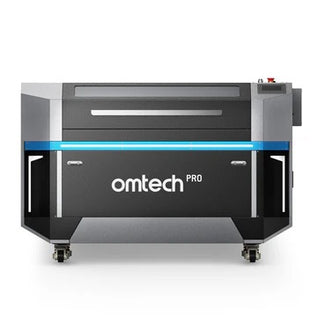
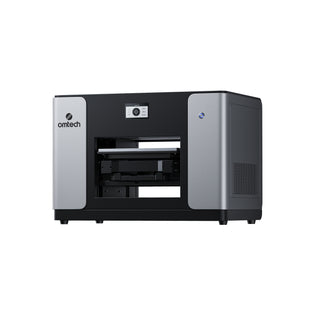
For schools looking to introduce laser cutting into their STEM programs, OMTech offers several CO₂ laser cutters suitable for different project requirements and workshop environments.
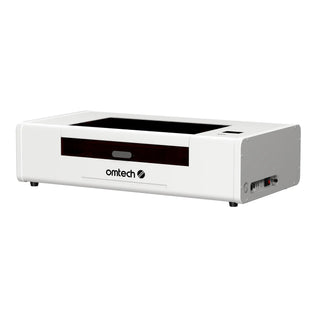
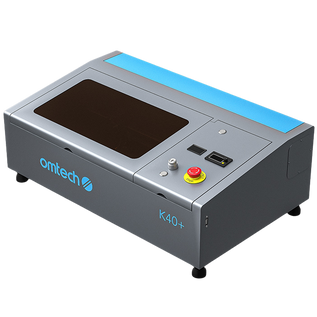
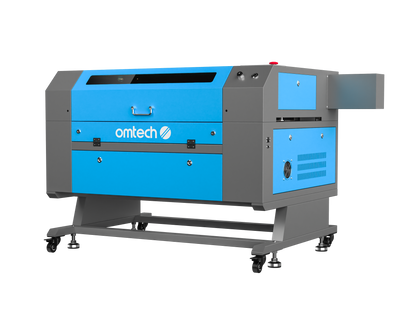
- For example, the OMTech Turbo CO2 Laser Engravers include CO2 lasers with working areas and laser power options suitable for creating educational models, engineering prototypes, and classroom projects.
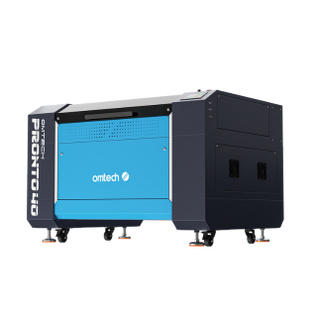
- The OMTech Pronto CO2 Laser Engravers offer additional production-oriented features, including autofocus, larger material clearance, and faster engraving capabilities.
These features can be particularly useful for schools operating dedicated STEM laboratories, makerspaces, or technical education workshops.
Let's say your students are working on several projects simultaneously. One group might be designing bridge components, another creating geometric models, and a third manufacturing parts for a robotics project.
- A laser cutter with a sufficiently large working area allows an authorized operator to arrange and process multiple project components efficiently.
- Autofocus can also simplify transitions between materials of different thicknesses, while appropriate laser power allows schools to work with a range of commonly used educational materials.
When selecting a machine, schools should consider their students' age groups, available workspace, project requirements, expected usage, and safety procedures. Schools interested in purchasing equipment can also explore OMTech's educational purchasing opportunities and confirm current eligibility and available discounts with the company.

Final Thoughts
Laser cutting can make STEM education more interactive by allowing students to move beyond theoretical concepts and create physical objects that demonstrate what they've learned.
From geometric models and bridge structures to robotics components and renewable energy experiments, laser cutters support a wide range of classroom applications.
More importantly, these projects encourage students to think like engineers and designers. They learn how to identify problems, develop solutions, test their ideas, and improve their work through experimentation.
Ultimately, the value of laser cutting in STEM education isn't simply about what the machine can produce. It's about what students can learn through the process of designing, creating, testing, and improving their own ideas.
You may also be interested in this guide on how to customize back-to-school essentials with a laser cutter, with tips on how to choose the right laser for teachers and students.