












Not Every Popular Laser Engraver Is Worth the Money
What makes a laser engraver worth your hard-earned dollars comes down to a single question: Does it fit your daily workload? A machine that is brilliant for a weekend hobbyist burning family photos into a slice of hoop pine is not the same machine you want running a small manufacturing business five days a week. The specification sheets might look similar, but the real-world performance is night and day.

Here is how to choose the right gear based on what you actually intend to make.
Best Laser Engraver for Wood: Where Real Production Happens
Timber is the most common material processed in local workshops. Custom house signs, personalized grazing boards, wedding decor, and intricate custom furniture details—this is undisputed CO₂ territory.
CO₂ lasers cut and engrave organic materials flawlessly because the infrared wavelength (10,600nm) absorbs into wood fibers incredibly efficiently. You get a rich, high-contrast burn line, dead-sharp edges, and entirely predictable depth control.
-
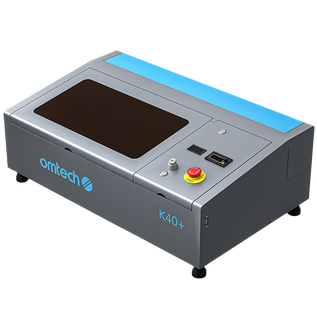
For Light Hobby Use: A compact 40W to 50W desktop unit handles occasional projects with ease.
-
For Small Commercial Output: If you are building a brand on Etsy, supplying local boutiques, or running a busy regional gift shop, relying on an underpowered machine will stall your growth. You will spend hours waiting on slow cut cycles, jobs will stack up, and your customer lead times will stretch.
The OMTech Maker 60W CO₂ Laser Engraver (700 x 500mm Bed) hits a highly practical sweet spot for emerging businesses. The expansive bed accommodates standard craft ply sheets and large serving platters without requiring you to pre-trim your stock. It is a true working commercial unit, not a desktop novelty.
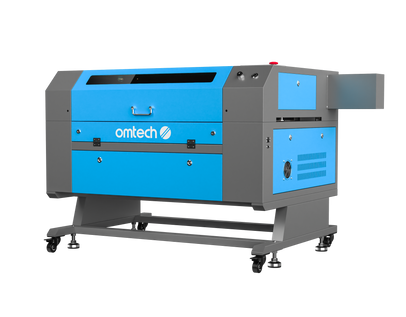
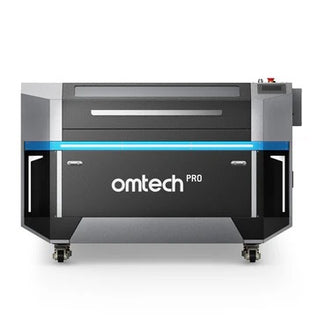
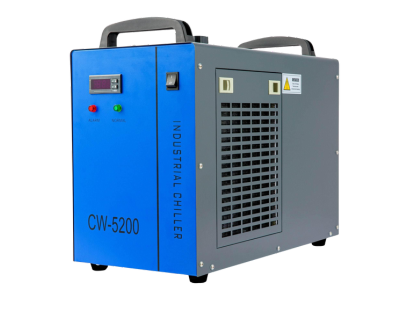
If daily order volume is your primary hurdle, stepping up to the OMTech Pro Series 80W or 100W CO₂ Lasers is the answer. More raw wattage means drastically faster vector cutting speeds on identical material thicknesses. Furthermore, these high-power models include integrated water chillers out of the box—an absolute necessity for all-day production runs in an Australian summer, as letting a glass laser tube run hot will degrade its lifespan fast.
Best All-Rounder CO₂ Laser: For Mixed-Material Shops
A professional shop can rarely afford to be a one-trick pony. Beyond timber, a busy sign shop or local engraving business needs to effortlessly pivot between cutting 6mm clear acrylic, etching leather patches, and marking glass trophies in a single afternoon.
-
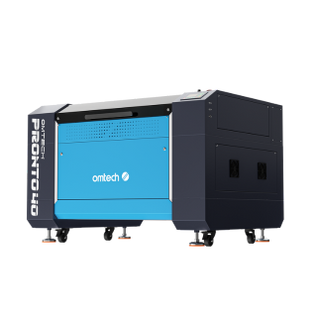
The High-Production Heavyweight: The OMTech Pro 130W CO₂ Laser Cutter is built for regional sign businesses and high-volume manufacturers. With an industrial-scale workbed and immense cutting power, it breezes through thick structural MDF and plastics so you aren't stuck babysitting the machine all day.
-
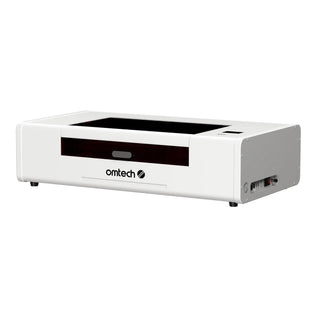
The Benchtop Alternative: If floor space in your garage or boutique shop is at a premium, a compact powerhouse like the OMTech Polar 55W Desktop CO₂ Laser is a smart choice. It packs genuine CO₂ processing power into a benchtop footprint, making it ideal for a solo maker who needs industrial reliability without a massive cabinet dominating the room.
If you are manufacturing with non-metal materials at any scale, CO₂ remains the gold standard.
Best Fiber Laser Engraver: When Your Canvas Is Metal
Fiber technology occupies an entirely different niche. It cannot process wood or organic materials; it is engineered exclusively to permanently mark metals: stainless steel, aluminium, brass, copper, titanium, and silver.

Engineering workshops, jewellery designers, custom knife makers, and parts manufacturers all rely heavily on fiber lasers. The resulting marks don't wear off, fade, or peel. There are no messy chemical sprays or paints involved; the laser directly alters the surface structure of the metal.
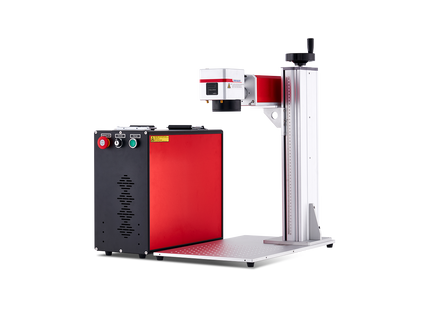
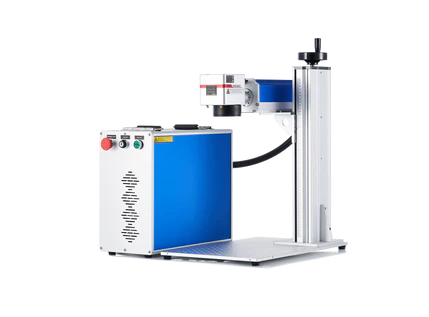
The OMTech Galvo Fiber 20W/30W or 50W Autofocus Laser Marking Machine is the industrial standard for local fabricators. Unlike gantry-style CO₂ lasers, a Galvo machine uses ultra-fast internal mirrors to move the beam at lightning speed.
The integrated autofocus system detects varying component heights instantly, eliminating tedious manual workbed cranking. You simply load your jig, hit go, and pull a perfectly marked part seconds later—making it a perfect fit for short, high-margin production runs of promotional gear or serialised industrial tags.
Matching Your Machine to Your Revenue Model
A major pitfall for many emerging Aussie businesses is buying a cheap, low-spec machine based solely on an attractive upfront price tag, only to realize it lacks the capability to meet actual customer deadlines. Your machinery must match your expected weekly output, not just your opening budget.

The Overlooked Cost: Local Support and Spare Parts
A cheap imported laser with zero local technical support or parts availability becomes a incredibly frustrating paperweight the moment a mirror misaligns or a power supply fails. Selecting an OMTech machine means gaining access to dedicated customer support, local stock, and readily accessible replacement parts right here in Australia. When your income depends on your workshop running, local serviceability matters more than any spec sheet.
Practical Advice for First-Time Operators
If you are just getting started in the world of digital manufacturing, skip the tiny, ultra-budget machines that you will completely outgrow in three months. Buying an undersized laser usually means paying for your gear twice. Figure out what products you want to sell, and buy the minimum commercial footprint that accommodates that work comfortably.
Keep these three fundamental rules in mind before your machine arrives:
-
Budget for Ventilation Immediately: Laser processing creates real fumes—thick wood smoke, acrid acrylic gases, and heavy leather odors. You cannot rely on a simple household fan; you need a proper inline exhaust system or a dedicated multi-stage fume extractor discharging outside.
-
Expect a Break-In Period: Your first week in the workshop will involve a bit of trial and error. You will be running test grids across different timber species to map out your speed and power settings in LightBurn or EzCad2. This is entirely normal.
-
Keep Your Optics Immaculate: A tiny speck of wood dust or resin on your focal lens will absorb the laser's heat, causing your cutting power to drop and eventually cracking the glass. Dedicate five minutes to cleaning your optics at the end of every shift to save hours of troubleshooting later.
Frequently Asked Questions
What is the best laser engraver for a timber-focused business?
A mid-to-high power CO₂ machine is ideal. For a growing commercial brand, an 80W or 100W cabinet laser with a large processing table offers the optimal blend of raw cutting speed, depth control, and space to batch out multiple items at once.
Can a CO₂ laser mark metal surfaces?
Not directly on bare metal. A CO₂ laser will reflect off raw steel or brass. However, it can easily engrave coated metals, such as burning away the paint or powder coating on custom thermal tumblers to reveal the bright metal underneath. For direct, raw metal engraving, a fiber laser is required.
What software do I need to run these machines?
OMTech CO₂ lasers and many fiber models integrate seamlessly with LightBurn (the industry standard for layout and vector control on Windows and MacOS). For dedicated, high-speed Galvo fiber marking, EzCad2 is widely used across professional workshops.
Should I start out with a cheap desktop hobby machine?
If you are strictly exploring a new casual hobby, a small desktop unit is a fine starting point. But if your goal is to build a legitimate commercial business or side-hustle, investing in a robust 50W or 60W mid-range machine gives you the necessary speed, reliable construction, and structural cutting capacity to scale without immediately hitting a technical ceiling.