












OMTech 60W Laser Engravers Buying Guide
Not all CO₂ laser engravers are created equal, even when they have the same laser power. Three 60W CO2 laser engravers can offer 60W of laser power, and all can handle many of the same materials, but differ considerably in other key features like working area, engraving speed, focusing technology, precision, and overall production capabilities.
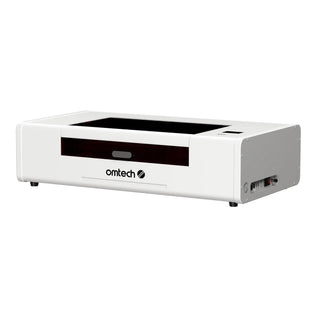
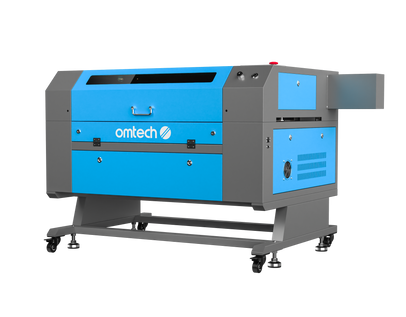
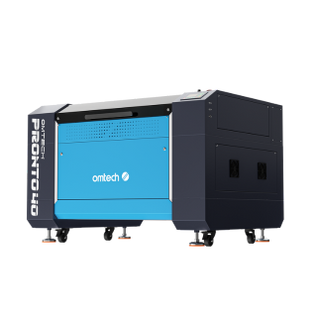
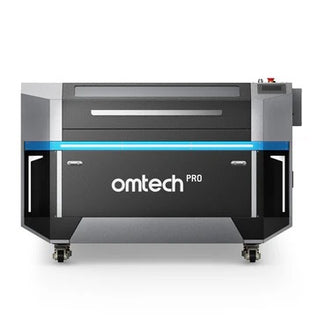
A good example of this is OMTech's popular 60W models: the Turbo-646, Turbo-756, and the Pronto 35 60W. The Turbo-646 offers an affordable entry into commercial-grade laser engraving; the Turbo-756 has a larger workspace and autofocus, and the Pronto 35 takes things further with faster engraving speeds and features designed for growing businesses.
These three CO2 laser engravers are all 60W models, but with specific features that make them suitable for completely different purposes. So, how do you choose between them?

OMTech 60W CO₂ Laser Engravers: Turbo 646 vs. Turbo 756 vs. Pronto 35
| Feature | Turbo-646 | Turbo 756 | Pronto 35 60W |
| Laser technology | Glass CO₂ laser | Glass CO₂ laser | Glass CO₂ laser |
| Laser power | 60W | 60W | 60W |
| Maximum engraving speed | 600 mm/s | 600 mm/s | 1,000 mm/s |
| Working area | 600x400 mm | 20" × 28" | 20" × 28" |
| Focusing | Manual focus | Manual | Autofocus |
| Maximum material height | Approximately 230 mm | Approximately 230 mm | 8.7" |
| Laser tube lifespan | Max 2,000 hours | Max 2,000 hours | Up to 12,000 hours under specified conditions |
| Cooling system | Water cooling | Water cooling | Water cooling |
| Camera positioning | No integrated camera specified | No integrated camera specified | No integrated camera specified |
| Pass-through capability | Front and rear | Front, rear, and sides | Front and rear |
| Rotary engraving | Compatible with optional rotary attachments | Compatible with optional rotary attachments | Compatible with optional rotary attachments |
| Software compatibility | LightBurn, RDWorks | LightBurn, RDWorks | LightBurn, RDWorks |
| Best suited for | Beginners, hobbyists, and small businesses | Small businesses needing more workspace and convenience | Growing businesses and regular production |
2. Engraving Speed: How Much Does Faster Really Matter?
Engraving speed is one of the most noticeable differences between these three machines.
- The Turbo-646 and Turbo-756 both offer maximum engraving speeds of 600 mm/s.
- The Pronto 35 increases that figure to 1,000 mm/s.
On paper, the Pronto 35 is a lot faster than the Turbo models. However, you need to understand how laser engraving speed works to make the best decision here. Maximum engraving speed doesn't mean every project will finish seven times sooner: where it makes a real difference is when you are handling large-volume projects in batches. Consider three situations.
Scenario A: A small personalized gift business
Let's say you run an engraved wooden coasters and keychains business through an online store. On an average day, you produce 10–20 items, each featuring a customer name or simple design.
The Turbo-646’s 600 mm/s engraving speed is already sufficient for this workload. Although the Pronto 35 and Pro Quantum could potentially finish these projects faster, the time saved might not justify their higher purchase prices.
Scenario B: A growing business handling regular bulk orders
Now imagine your business supplies personalized merchandise for weddings, corporate events, and local retailers. You regularly receive orders for 100–200 engraved products. Here, the Pronto 35's 1,000 mm/s maximum engraving speed becomes more attractive. Its higher speed can help reduce production time, particularly when engraving detailed designs across multiple items.
Summary
- For hobby projects and smaller orders, either Turbo model offers plenty of speed.
- For businesses handling regular production batches, the Pronto 35 provides a useful performance upgrade.

3. Working Area: How Much Space Do You Actually Need?
The working area determines how large your projects can be and how many items you can process simultaneously.
The Turbo-646 offers a 16" × 24" working area. That's enough space for many everyday projects, including wooden signs, personalized gifts, ornaments, and acrylic displays. The Turbo-756 and Pronto 35 both provide a larger 20" × 28" working area. This is approximately 46% more working space than the Turbo-646.
To see what this means for everyday use, imagine you're producing personalized wooden coasters measuring 4" × 4". The Turbo-646 can accommodate several coasters within its working area, while theTurbo-756 and Pronto 35 provide additional space: you can arrange more products in a single batch.
This difference also matters when working on larger projects. For example, if you're producing decorative wall signs or acrylic display panels, the smaller workspace of the Turbo 646 may limit the dimensions of your designs. The larger machines provide more flexibility for these applications.
However, a larger working area isn't always necessary. If your business specializes in small personalized products, the Turbo 6464 may already offer more space than you regularly use.
Summary
- Choose the Turbo-646 if your projects are relatively small and fit comfortably within its workspace.
- Choose the Turbo-756 if you need additional room for larger designs or more efficient batch production.
- The Pronto 35 offers the same nominal working area as the Turbo 756, so its main advantage comes from speed and other production features rather than size.

4. Material Compatibility: What Can Each Machine Engrave?
Since all three machines use CO₂ laser technology, they can process many of the same materials like wood and plywood, acrylic, leather, paper and cardboard, fabric, rubber, glass, coated or anodized metals, etc.
For most hobbyists and small businesses, these materials cover a wide variety of creative and commercial applications. You can use any of these machines to produce engraved wooden signs, acrylic decorations, personalized gifts, leather accessories, and promotional merchandise. However, the differences become more noticeable when you consider the complexity and volume of your projects.
- The Turbo 464 and Turbo-756 are excellent general-purpose machines for cutting and engraving common materials.
- The Pronto 35 provides similar material compatibility, but it adds faster processing and a more production-oriented design.
For example, if you're engraving simple names onto wooden keychains, the Turbo 6464 is perfectly capable.
Summary
- If you mainly work with common materials such as wood, acrylic, and leather, material compatibility alone isn't a strong reason to purchase a more expensive model. All four machines can handle these materials.
- The more important considerations are the size of your projects, the complexity of your designs, and how quickly you need to complete them.

5. Focusing: Manual Focus vs. Autofocus
The availability of autofocus is another area where the Pronto 35 has a huge advantage over both the Turbo 646 and Turbo 756. Both Turbo machines use manual focusing: you will need to adjust the laser head's position relative to the material before starting a job. If you are a beginner, you may need some practice; you'll have to learn how to focus your laser engraver, and even then, this usually takes some practice. However, once you're familiar with the process, manual focusing is relatively straightforward.
However, the Pronto 35 features automatic focusing. This allows the machine to determine the appropriate focusing position with less manual adjustment. The advantage of having automatic autofocus becomes more significant in busy production environments where operators regularly change materials.
Summary:
- If you're working with a limited range of materials and don't mind making occasional adjustments, the manual focusing system of the Turbo-646 or Turbo-756 is perfectly reasonable.
- The Pronto 35 also includes autofocus, making it better suited for businesses where convenience and repeatability are important.

6. Material Height and Rotary Engraving
The working area isn't the only dimension worth considering. The height of the objects you want to engrave can also influence which machine is most suitable. This is particularly important if you plan to personalize tumblers, bottles, mugs, or other cylindrical products.
- The two Turbo modes provide adjustable workbeds that accommodate a variety of material thicknesses.
- The Pronto 35 offers a maximum workpiece height of 8.7 inches, giving users more flexibility when working with taller objects.
For example, imagine your business specializes in engraved wooden coasters and flat acrylic signs; the Turbo 6464 or 756 may already provide all the clearance you need.
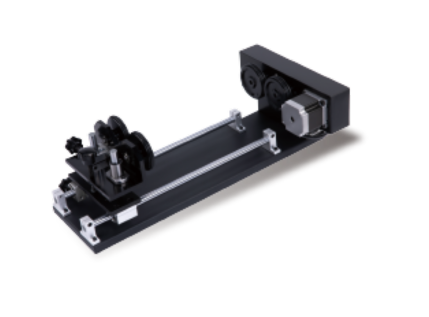
However, if you regularly engrave taller wooden boxes or cylindrical objects, the Pronto 35's additional height clearance could be a valuable advantage. Rotary compatibility is also worth considering if you intend to expand into personalized drinkware. Remember that the maximum diameter of a cylindrical object depends on the rotary attachment, its mounting arrangement, and the available clearance.
Summary
- For flat materials and ordinary engraving projects, either Turbo model is sufficient.
- If you frequently work with taller objects, the Pronto 35 is particularly attractive.
7. Precision and Camera Positioning
Precision becomes increasingly important when engraving intricate artwork, small lettering, or products that require accurate design placement.
- The Turbo 646 and Turbo 756 provide the positioning capabilities needed for general-purpose cutting and engraving.
- The Pronto 35 introduces an upgraded motion system designed to improve stability and accuracy during high-speed operation. Its X-axis uses a V-wheel design, while its Y-axis features a high-precision belt system.
These components give the Pronto 35 a big advantage because they help maintain smooth movement and consistent engraving results. It also features a 48MP camera for visual positioning. The camera provides a detailed view of the work surface, making it easier to arrange designs and position them on materials.
Imagine engraving a batch of 30 wooden keychains, each with a different name. With the Turbo models, you'll generally rely on your software layout and physical positioning methods to arrange the products.
However, camera resolution alone doesn't guarantee perfect positioning. Proper calibration and secure material placement remain essential.

8. Cooling, Maintenance, and Laser Tube Lifespan
Another important difference between these machines is their laser tube technology and expected service life.
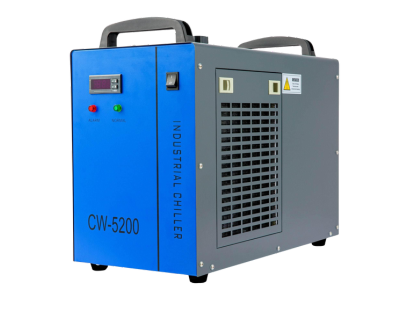
- The Turbo-646 and Turbo-756 use conventional glass CO₂ laser tubes with an estimated service life of approximately 2,000 hours. These machines require water cooling to regulate the temperature of their laser tubes. This means users need to monitor coolant quality, water circulation, and operating temperatures.
- The Pronto 35 also uses a glass CO₂ laser tube, but its product specifications indicate an estimated service life of up to 12,000 hours when operated below 40% power. This is a substantial improvement under the stated operating conditions.
For occasional engraving and small businesses with moderate workloads, the Turbo models provide reasonable service life and maintenance requirements. For growing businesses using their machines more frequently, the Pronto 35's longer estimated tube lifespan can be beneficial.
9. Safety, Ventilation, and Everyday Convenience
Laser engraving produces smoke, fumes, and debris, making proper ventilation and safety features essential. All three machines require appropriate operating conditions, including suitable exhaust arrangements and regular maintenance. However, the more advanced models introduce features designed to improve workflow and operating convenience.
- The Turbo 646 provides the essential functionality needed for conventional laser cutting and engraving.
- The Turbo-756 adds autofocus, making material changes more convenient.
- The Pronto 35 includes several upgrades designed for commercial use. These include an enhanced air-assist system, a high-capacity exhaust fan, and additional safety monitoring features. Its ventilation system is designed to help remove smoke and debris more efficiently during operation.
These features can simplify the workflow and reduce the need to manage separate components. However, integrated extraction doesn't eliminate the need for proper fume management or safe exhaust routing.
Summary:
- For occasional projects and smaller workshops, the Turbo models provide a practical starting point when paired with appropriate ventilation and cooling equipment.
- For businesses operating their machines regularly, the Pronto 35's enhanced extraction and safety features are valuable improvements.

OMTech 60W CO₂ Laser Engravers: Which Should You Buy?
Now that we've examined their differences, the most important question remains: which machine is the best investment for you? The answer depends on your budget, the products you intend to create, and how frequently you'll use your machine.
Why Choose the Turbo-646?
The OMTech Turbo-646 CO₂ Laser Engraver is an excellent option for beginners, hobbyists, and small businesses looking for a capable machine without spending more than necessary. It's particularly suitable for the following users. Of these three 60W CO2 models, choose this one if:
- You're a beginner purchasing your first professional CO₂ laser engraver: It provides enough power and workspace to learn a wide variety of techniques.
- You are a hobbyist and/or an occasional creator: If you primarily engrave gifts, decorations, or personal DIY projects, the Turbo-646 offers more than enough performance.
- You own or run a small business producing straightforward personalized products. Products like personalized wooden keychains, engraved coasters, acrylic ornaments, etc., generally don't require the advanced capabilities of more expensive machines.
- You want to invest more in other aspects of your business. Even if you can afford the Turbo-756 or Pronto 35, purchasing the Turbo-646 could still be the smarter decision if you're starting an engraving business and you want to save money to purchase materials, packaging supplies, rotary attachments, or marketing services.
Who Should Choose the OMTech Maker AF2028-60?
The OMTech Turbo-756 CO₂ Laser Engraver is ideal for users who want more workspace and greater convenience without moving into a significantly more expensive production machine. Choose this machine if:
- You run a small business, but it is focused on larger projects. The larger workspace of the Turbo-756 provides approximately 46% more space than the 646. This makes it better suited to larger wooden signs, acrylic displays, and batch production.
- You frequently switch between different materials. Autofocus is one of the most useful advantages of the Turbo 756. If you regularly move between thin acrylic sheets, wooden boards, and leather products, autofocus can simplify setup and reduce the need for manual adjustments.
- You are an entrepreneur expecting moderate business growth. If your business is still relatively small but you're beginning to receive larger orders, the Turbo-756 provides additional room to grow.
- You don't necessarily need the faster engraving speeds of a larger model: The Pronto 35 provides much more speed, but if you don't process enough products for that speed difference to matter, the Turbo 756may be the better investment.
Who Should Choose the OMTech Pronto 35 60W?
The OMTech Pronto 35 60W CO₂ Laser Cutter and Engraver is designed for growing businesses that need faster production, greater convenience, and more robust operating features.
- Businesses handling regular bulk orders: If you frequently produce dozens or hundreds of engraved products, the Pronto 35's 1,000 mm/s maximum engraving speed can help reduce production time. This makes it particularly suitable for businesses supplying personalized merchandise to retailers, event organizers, and corporate clients.
- Businesses that have outgrown entry-level equipment: Perhaps you started with a smaller laser engraver and now find yourself spending too much time completing orders. The Pronto 35 offers a useful upgrade in speed, motion performance, and overall production convenience.
- Creators working with taller objects: Its 8.7" maximum workpiece height provides greater flexibility for engraving thicker or taller items. This can be particularly valuable for businesses offering a wider range of personalized products.
- Buyers who want professional performance without the cost of RF technology: The Pronto 35 occupies an attractive position between the Maker models and the Pro Quantum. It provides faster engraving and several production-oriented improvements while remaining considerably more affordable than the RF-powered Quantum. For many growing businesses, this makes it the most balanced choice.

Is It Worth Spending More on a Higher-End 60W Laser Engraver?
One way to answer this question is to consider how much additional value the more expensive machine could create for your business. Let's say upgrading from a Maker model to the Pronto 35 saves your business 30 minutes of production time per working day. If you operate 20 days per month, that's approximately 10 hours saved monthly.
Whether those hours justify the additional investment depends on what they're worth to your business. If the saved time allows you to complete more orders, reduce labor costs, or meet deadlines more reliably, the upgrade could eventually pay for itself.
Also, the working area is another important consideration.
If your products already fit comfortably within the MF1624-60's workspace, upgrading to a larger machine won't necessarily improve your results. Likewise, if you primarily engrave simple designs, you may not need the Pro Quantum's RF laser technology.
Before spending more, ask yourself three questions:
- Will the additional capabilities allow me to produce products I currently cannot make?
- Will the upgrade save enough time or operating costs to justify its price?
- Do I have enough demand to take advantage of the machine's higher production capacity?
If the answer to these questions is no, choosing a more affordable machine may be the better financial decision. On the other hand, if your current equipment is limiting production, preventing you from accepting larger orders, or making detailed engraving unnecessarily time-consuming, upgrading could be worthwhile.
The best investment isn't necessarily the machine with the highest specifications. It's the machine that offers the capabilities your business actually needs.
Final Thoughts on Buying a 60W CO2 Laser Engraver
The OMTech Turbo-646, Turbo-756, and Pronto 35 are all capable 60W CO₂ laser engravers, but they're designed for different types of users and production requirements.
- The Turbo-646 offers an affordable entry into professional CO₂ laser engraving. It is an excellent choice for beginners, hobbyists, and small businesses producing straightforward personalized products.
- The Turbo-756 builds on this foundation with a larger working area. It's particularly suitable for users who need more flexibility and convenience but don't require significantly faster engraving speeds.
- The Pronto 35 60W takes things further with its 1,000 mm/s maximum engraving speed, upgraded motion system, greater material height clearance, and production-oriented features. For growing businesses handling regular orders, it offers a practical balance between performance and investment.
Ultimately, choosing between these machines comes down to your priorities. Whichever machine you choose, the OMTech CO₂ laser engraver lineup offers options for turning creative ideas into finished products, from occasional DIY projects to full-scale commercial production.