











How to Print on Acrylic with UV Printer and CO₂ Lasers
Acrylic is one of the most popular materials for creating premium signage, retail displays, awards, décor, and branded products. With its clean finish, glass-like clarity, and strong durability, acrylic instantly gives printed products a professional look.
When paired with UV printing technology, acrylic becomes even more versatile. A UV printer can print full-colour graphics directly onto acrylic sheets, curing the ink instantly for a durable, high-quality finish. The result is a polished product that looks sharp, lasts longer, and can support higher-value custom work.
In this guide, we’ll explain how UV printing on acrylic works, why acrylic is such a strong material choice, what equipment you need, which print modes matter, and how OMTech UV printers and CO₂ laser machines can work together to create profitable acrylic products.
Why Acrylic Is Ideal for UV Printing
Acrylic is an excellent material for UV printing because it is rigid, smooth, and non-porous. This allows UV ink to cure cleanly on the surface without spreading or soaking in, helping produce sharp details, strong colour saturation, and consistent results.
Acrylic also comes in a wide range of styles, including clear, frosted, white, black, and coloured sheets. Clear acrylic is especially popular because it supports reverse printing, where the design is printed on the back of the sheet and viewed from the front. This creates a premium glass-like depth effect that works beautifully for signage, awards, photo panels, and display products.
Durability is another major advantage. UV-printed acrylic can resist moisture, fading, and everyday handling, making it suitable for indoor displays and selected light outdoor applications. For businesses producing multiple units, acrylic is also easy to source, handle, and batch process.
What You Need to Print on Acrylic
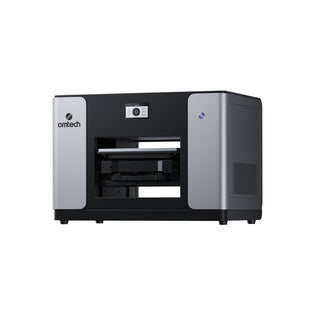
The most important tool is a flatbed UV printer that can print directly onto rigid materials. Unlike vinyl, transfers, or laminated graphics, UV printing applies ink straight onto the acrylic surface.
A machine such as the OMTech Spectra UV Printer is designed for this workflow, offering:
- High-resolution UV printing
- Fast production speeds
- Support for white ink layering
- Automated maintenance features
- Reliable performance for small business production
You’ll also need design software such as Adobe Illustrator, CorelDRAW, or similar programs to prepare artwork. RIP software is used to control ink layering, print direction, and colour output, which is especially important when printing on transparent acrylic.
For surface preparation, keep basic tools on hand:
- Lint-free cloths
- Isopropyl alcohol
- Anti-static wipes
- Gloves for handling acrylic sheets
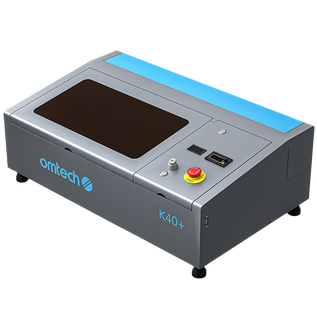
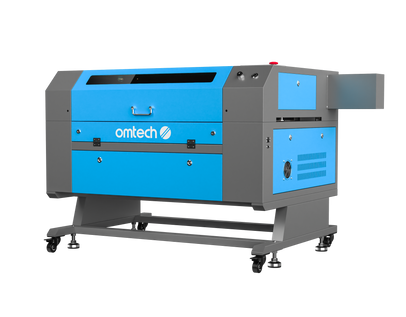
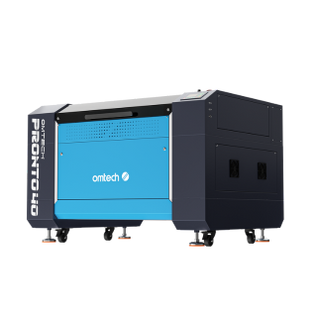
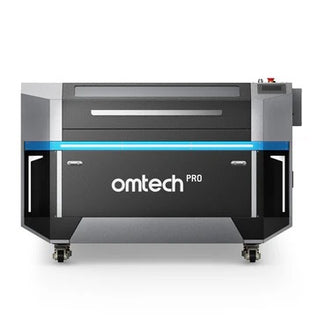
A CO₂ laser cutter is also highly useful if you want to cut printed acrylic into custom shapes, letters, plaques, tags, or display pieces. Acrylic cuts cleanly with CO₂ lasers, making it a natural fit for businesses producing signage and decorative products.
Best UV Print Modes for Acrylic
One of the biggest benefits of UV printing on acrylic is the ability to control ink layering.
For clear acrylic, the order of each layer affects how the design looks when viewed from the front.
CMYK + White + CMYK
This mode is ideal for artwork, images, decorative panels, and designs without readable text. The first CMYK layer is printed in reverse on the back of the acrylic, followed by a white ink layer for opacity, then another CMYK layer.
When viewed from the front, the colours appear rich and vibrant with a premium depth effect.
CMYK + White
This mode is usually better for signs, logos, text, awards, and business branding. It helps maintain readability while still providing solid colour and opacity.
Modern RIP software makes these layered workflows easier to manage, even for users who are new to UV printing.
Safety and Preparation Tips
Good preparation helps ensure clean, professional results.
Before printing, wipe the acrylic surface to remove dust, fingerprints, oils, and static. These can affect ink adhesion and reduce final print quality.
When handling acrylic sheets, gloves are recommended to prevent marks and smudges.
If you are laser cutting acrylic, proper ventilation is essential. Laser cutting produces fumes that must be exhausted or filtered safely. It is also important to confirm that the material is true acrylic and not PVC, as PVC releases hazardous gases when cut with a laser.
For UV printing, follow the manufacturer’s safety guidelines, maintain proper ventilation, and keep the machine clean for consistent output.
Profitable Acrylic Product Ideas
Combining UV printing and CO₂ laser cutting opens the door to a wide range of high-value products.
Popular acrylic projects include:
- Business signs
- Wall art
- Awards and trophies
- Retail display stands
- Product tags
- Desk nameplates
- Photo plaques
- Custom gifts
- LED backlit panels
- Faux stained-glass designs
- Event signage
- Brand displays
Because both UV printing and laser cutting are digital processes, each item can be personalised without major setup changes. This is ideal for Australian small businesses, sign shops, makers, and custom product sellers looking to offer short-run or one-off designs.
Why OMTech UV Printers and CO₂ Lasers Work Well Together
OMTech machines are built for creators, makers, and small businesses that want professional results without overly complicated workflows.
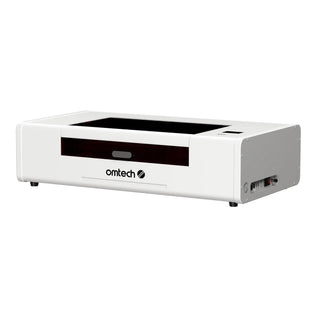
An OMTech CO₂ laser can cut and engrave acrylic with precision, while the OMTech Spectra UV Printer adds full-colour graphics, white ink layers, and premium finishes.
Together, they allow businesses to handle more of the production process in-house, from cutting and shaping to printing and finishing.
This workflow can help reduce outsourcing, improve turnaround times, and give businesses more control over product quality.
Final Thoughts
Printing on acrylic is one of the most effective ways to create premium custom products. With UV printing, you can add vibrant colour, sharp text, and durable graphics directly onto acrylic surfaces. When combined with CO₂ laser cutting, the process becomes even more powerful, allowing you to create custom shapes, layered signage, awards, displays, and branded products.
For Australian businesses looking to expand into acrylic printing, the OMTech Spectra UV Printer and OMTech CO₂ laser range offer a practical, flexible workflow for turning creative ideas into profitable products.
Explore OMTech’s CO₂ laser engravers today and get ready for the OMTech Spectra UV Printer, designed to make professional acrylic printing more accessible for growing businesses.