















Top 10 Classroom DIY Laser Projects
This rapid feedback loop makes the laser an ideal vehicle for teaching Design Thinking, CAD/CAM, and engineering principles within the Australian Curriculum. However, the initial challenge for many educators is identifying projects that are safe, budget-friendly, and easy to implement within a packed timetable.
Here are the Top 10 Classroom DIY Laser Projects, curated specifically for easy implementation by teachers, school clubs, and makerspace coordinators in Australia.
Budget-Friendly and Safety-Conscious Materials
The following projects prioritize materials commonly found in Australian school labs: 3mm plywood (laser-grade native or birch), MDF, upcycled corrugated cardboard, clear acrylic, and slate. These choices keep consumable costs low and maximize safety when used with proper fume extraction and Class 1 (fully enclosed) machinery.
Top 10 Classroom Laser Cutter Projects
1. Personalised Name Bookmarks (The Perfect Induction)
This is the perfect first project for any year level (Years F-12), ideal for induction, icebreakers, or the start of the new school year.

-
Skill Focus: Basic CAD navigation, understanding cut vs. engrave, precise measurement.
-
Materials: 1.5mm – 3mm Plywood or MDF offcuts, sandpaper, ribbon (optional).
-
Teacher Tip: Create a 50mm x 150mm rectangle template in LightBurn or Inkscape. For younger students (Primary), provide pre-made shapes where they only type their name. For older students (Secondary), encourage complex border designs and original vector artwork using local flora/fauna motifs.
2. Geometric Coaster Sets (Integration of Maths & Art)
Perfect for exploring tessellation, symmetry, and positive/negative space, resulting in a functional home item or highly engaging student gift project.

-
Skill Focus: Applying geometric concepts, pattern repetition, precise nesting to reduce waste.
-
Materials: 3mm Birch Plywood, Acacia wood, or Slate, cork or felt backing sheets (optional).
-
STEM Extension: Challenge students to design a "Perfect Coaster"—it must be aesthetically pleasing, functional (protect surfaces), durable, and consistent across a set. Have them test absorption and heat transfer with different finishes.
3. Custom Puzzles (Cognitive Development meets Digital Fabrication)
A versatile project where the complexity varies greatly by age, suitable for Primary (simple shapes) to Secondary (complex mechanical or 3D puzzles).

-
Skill Focus: Planning piece complexity for the target audience, designing interlocking joints, iterative design.
-
Materials: 6mm plywood or MDF, printed image and adhesive (optional), clear finish.
-
Service Learning Idea: Have older students design educational puzzles (e.g., Australian map, solar system) for younger Primary classes within the school.
4. Classroom Desk Signs & Nameplates (Ownership & Identity)
Combine personalisation with classroom management. Students gain ownership of their space while learning basic typography and layout.

-
Skill Focus: Typography selection, centering text, understanding visual identity.
-
Materials: 3mm Wood or Acrylic (e.g., 150mm x 50mm), small 3D-printed or wooden stand.
-
Identity Project: Have Secondary students research the "Story of their Name" (origin, meaning, cultural significance) and incorporate symbols representing that story into the visual design.
5. "Handwritten" Recipe Cutting Boards (Sentimental Gifts)
A high-impact project perfect for highly engaging student gift projects for Mother's Day, Father's Day, or holidays. Students learn to digitize analog data.

-
Skill Focus: Image tracing (CAD), raster engraving (CAM), and food-safe material finishing.
-
Materials: Acacia, bamboo, or maple cutting board (untreated).
-
Teacher Tip: Ensure the wood hasn't been pre-treated with toxic chemicals. Have students scan a recipe written in a grandparent’s or parent’s actual handwriting and trace it into a vector format using LightBurn's "Trace Image" tool.
6. Science Lab Equipment Labels & Signage (Practical Application)
Solve real organisation problems in the school. Students take ownership of the lab space and learn about scientific organisation and safety standards.

-
Skill Focus: Creating consistent design systems, color-coding for safety, practical application of skills.
-
Materials: Acrylic sheets (red for danger, yellow for caution, etc.), adhesive backing or magnetic tape.
-
STEM Extension: Create labels with QR codes linking to student-created equipment operation videos or digital safety data sheets.
7. Living Hinge Plywood Boxes & Organisers (Engineering Milestone)
Teach Secondary students advanced engineering principles by making stiff material flexible. The classic "living hinge" box is an impressive technology education achievement.

-
Skill Focus: Designing flexible joints, press-fit construction (understanding kerf), structural engineering.
-
Materials: 3mm Plywood (must have consistent grain).
-
Teacher Tip: Use dynamic box generators like Boxes.py to quickly create base designs, allowing students to focus on customizing the flexible lid or modifying the functional compartments.
8. Modular Desk Organisers & Phone Stands
A classic Industrial Tech project updated with digital precision. Students must solve an organisation problem (e.g., untangling charging cables) and prototype a solution.

-
Skill Focus: Design Thinking (solving a user problem), press-fit tolerances, multi-part assembly.
-
Materials: 3mm Plywood or MDF, clear or coloured Acrylic.
-
Iteration Hack: Run a preliminary class "Design Challenge": design a phone stand that can hold three different devices and route a charging cable, proving the design in cardboard first.
9. "Design Thinking" Stencils for Art & Textiles
Stencil making is a meta-creative project: students make the tools to make more art. Applicable to painting, textile design, or functional planning.

-
Skill Focus: Understanding positive/negative space, designing "bridges" (connecting parts), creating repeatable patterns.
-
Materials: Mylar plastic sheets or 1.5mm thin plywood/MDF.
-
Project Idea: Have students design geometric stencils for tessellation practice in lower Primary maths classes.
10. Layered "3D" Wooden Ornaments & Mandalas (Offcut utilisation)
Utilize the laser's defining precision to create complex, "3D-effect" wall art or school engraving projects by stacking multiple delicate vector cut layers.

-
Skill Focus: Vector cutting, assembly tolerances, nesting.
-
Materials: 3mm Laser-Grade Plywood.
-
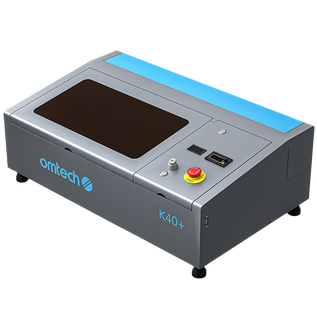
Budget Hack: These are ideal K40 laser school projects as they can be made entirely from plywood offcuts that would otherwise be discarded.
Digital Fabrication with a Purpose
By focusing on these top ten classroom laser cutter projects, you move the educational focus from "making things" to "solving problems" and expressing meaning. When students design for a reason—to make a highly engaging gift, optimize their lab, or test an engineering principle—they are actively engaging in the type of practical, iteration-focused design that defines modern STEM fields.