











Laser Foil Engraving 101: Get a Premium Metallic Finish With CO₂ or Diode Lasers

Credit to @indias_crafts_and_creations on Instagram
Want that high-end metallic look without actually engraving metal? Laser foil (a heat-activated adhesive film) makes it easy. It works with CO₂ and diode lasers and can produce crisp, shiny effects on many flat materials—think timber, paper, acrylic, leather, and even painted or anodized metal.
In this guide, you’ll learn how to apply and engrave laser foil on wood, paper, and coated metal, plus the key tools, settings, and best practices to get professional results. From custom signage to wedding stationery, branded products, and decor pieces, foil engraving delivers premium shine—without needing a fibre laser or machining real metal.
What is Laser Foil?

Laser foil is a thin adhesive film that activates under laser heat and bonds to the surface where your design is engraved. You place the sheet over your workpiece, run the laser over the artwork, and the foil transfers only in those targeted areas. Once you peel away the excess, you’re left with clean metallic highlights exactly where you want them.
It comes in popular finishes like gold, silver, rose gold, and more, making it a favourite for makers and small businesses who want an upscale look without the time, cost, or learning curve of true metal engraving.
Why Choose Laser Foil?
- Works with CO₂ and diode machines
- Suitable for many flat substrates
- No fibre laser required (and no need to engrave raw metal)
- Adds a strong metallic contrast that stands out
- Ideal for signage, weddings, branding, and gift items
Traditional engraving often relies on removing material for contrast. Foil engraving flips that idea—contrast comes from adding a reflective metallic layer to the surface, which is perfect when you want extra colour, shine, and “wow” factor.
Which Materials Work Best?
Laser foil is highly versatile, as long as the surface is flat and smooth. Here are the most common material choices:
- Wood – Great for signs, plaques, and ornaments. For best adhesion, choose wood that’s smooth and sealed.
- Paper/Cardstock – Ideal for invitations, certificates, and premium cards.
- Acrylic – Adds metallic accents to display pieces and product tags.
- Coated Metal – Works well on painted, powder-coated, or anodized metal for a two-tone result.
- Leather – Best on faux leather or surfaces with a protective coating.
- Glass/Tile – Possible on some finishes, but always test first.
The big rule: aim for a surface that’s smooth and level so the foil stays in full contact and transfers evenly.
How to Engrave with Laser Foil: Step-by-Step

Step 1: Get Everything Ready
You’ll want:
- Laser foil sheets (gold/silver, etc.)
- Masking tape or low-tack transfer tape
- Your substrate (wood, paper, acrylic, etc.)
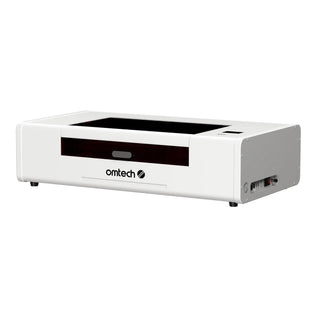
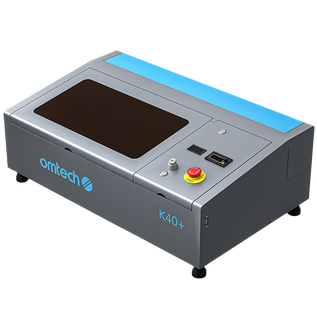
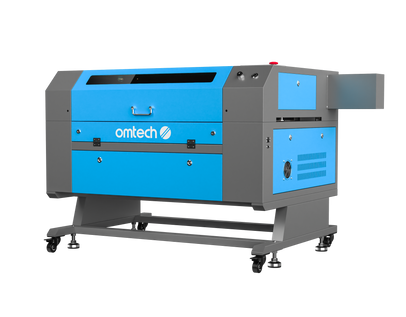
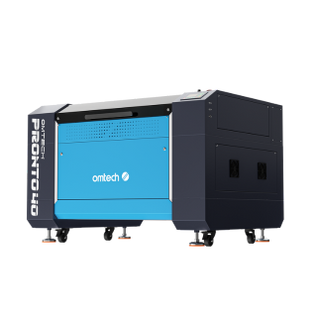
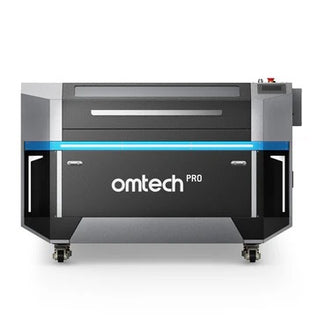
- A CO₂ or diode engraver (e.g., an OMTech)
- A soft brush; optional small roller/squeegee
Step 2: Clean and Prep the Surface
Remove dust, oils, and moisture before you start. Foil bonds best on sealed timber and coated paper. If a material is raw or porous, the foil can lift in spots or transfer unevenly.
Step 3: Lay Down the Foil
Trim a sheet that’s slightly bigger than your design area, then place it over the surface with the shiny side up.
Secure the edges with masking tape, or switch to a low-tack transfer tape if the foil tends to shift. The foil needs to stay tight and wrinkle-free—any bubbles or creases can show up as gaps in the final finish.
Optional: Use a roller or squeegee to push out bubbles and ensure full contact across the whole area.
Step 4: Dial In Your Settings
Foil engraving needs enough heat to transfer the metallic layer, but not so much that you scorch the substrate or cut through the backing.
As a starting point for an 80W CO₂ machine, try:
- Power: 100%
- Speed: 40%
- DPI: 500
- Passes: 1
You’re aiming to activate/transfer the foil only where the design runs. Too much energy can darken or burn the surface; too little won’t bond cleanly and the foil may peel away during removal.
Foil Engraving on Wood, Paper, and Metal
Laser Foil on Wood: Best Practices
- Choose smooth hardwood or sealed plywood for a consistent transfer.
- Skip very porous timber (like pine) where foil can break up or lift.
- Wipe down and lightly sand if needed.
- Keep the foil tight; use moderate settings to avoid scorching.
- Peel away excess gently—tweezers or transfer tape helps for small details.
Pros: Classic look, durable, perfect for signs.
Cons: Grain/texture can affect adhesion—sealing often improves results.
Laser Foil on Paper: Best Practices
- Use thicker cardstock or coated paper for stability.
- Avoid rough/uncoated sheets—they can tear when you lift the foil.
- Go lighter on power and faster on speed to prevent browning.
Pros: Premium look for wedding stationery and cards.
Cons: Thin paper can warp or rip during taping and peeling.
Laser Foil on Metal: Best Practices
- Stick to coated metals (anodized aluminium, powder-coated steel, painted panels).
- Bare metal generally won’t hold foil well—coatings make the difference.
- Clean thoroughly and keep everything flat.
- Use light-to-moderate settings for an even transfer.
Pros: Adds metallic colour to existing coated metal pieces.
Cons: Not ideal for raw stainless or uncoated metals.
After Engraving: Clean-Up
Once the run is finished:
- Let the piece cool briefly (about a minute).
- Peel back the foil slowly; use transfer tape to pick up any loose bits.
- Use a soft brush for fine residue in detailed areas.
Hold off on alcohol or water straight away—especially on paper and timber.
Quick Tips for Better Results
- Always run a test piece first—every material behaves differently.
- Vectors help you get sharp edges and clean lines.
- Thicker strokes and bold fonts transfer more reliably than ultra-fine details.
- Double-check focus for a crisp finish.
- Keep the foil taut—wrinkles = patchy transfer.
Why Foil Engraving is Perfect for CO₂ and Diode Users
True metal engraving often calls for a fibre laser—powerful, but pricey and mostly dedicated to metal. Foil engraving gives CO₂ and diode owners a practical workaround: you can create metallic-looking designs on non-metal materials and coated surfaces without upgrading machines.
If you run a CO₂ or diode setup—whether you’re crafting at home or producing for customers—laser foil is a simple way to add a premium metallic finish on materials where standard engraving can’t deliver that same shine.
Take Your Projects Further with OMTech Laser Engravers
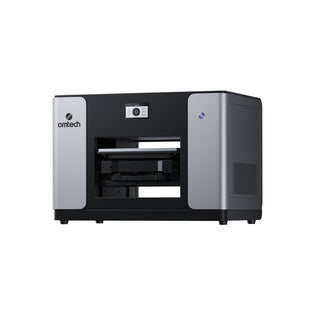
From shimmering timber signs to personalized invitations and metallic accents on coated metal, OMTech laser engravers deliver the control and consistency to help your work stand out. Ready to level up your next project? Check out OMTech laser engravers and see what foil engraving can do—no fibre laser required.