














How (And Where) to Start Laser Engraving in Australia
There is no right or wrong way to start laser engraving. However, if you are currently curious about how laser engraving works and what the ideal way would be to get into it here in Australia, there are a few pointers that I think may help you as a beginner. So, here is a summary of how I began in laser engraving, and what I have learnt about doing this as a hobby, later as a business, and now as a consultant:
Brief Summary of the Five Steps:
- Have an understanding of what kinds of laser engraving projects you would like to make, and precisely the kinds of material they are made of.
- Attend a workshop or exhibition to understand how laser engraving works and decide whether you are really interested.
- Buy a beginner laser engraving machine that best matches your target materials. If you can, visit a showroom to see the machine before buying.
- Learn the software and build your skills on small projects at home. Run test grids and dial in your settings each time.
- When you are confident in your mastery, explore opportunities to expand your laser engraving into a business.
What makes this a good approach to laser engraving is that it allows you to make sure that you are genuinely interested in it, then allows you to build a good mastery, gain confidence, and know what you are good at, so you have a good foundation to either launch into the business side or make the best of your skills however you see fit.
Here are some details on what to do in each step so you don't waste your time or limited resources.

Step #1: Have an Idea of Which Laser Engraving Products You Want To Make
The first step into laser engraving is to have at least an idea of which kinds of products you want to make. Having a clear understanding of your intended products is essential because it gives you a clear starting point and a sense of direction. I personally started with wooden cutting boards, and only got into more complicated wood engraving projects much later.
Why Having a Direction as a Beginner Matters in Laser Engraving
The world of laser engraving is very large: there are thousands of projects you could do, hundreds of materials different creators work with, and everyone has their own unique style and identity. When you have an understanding of what kinds of projects you want to work on, there are three main advantages:
- It helps direct you towards projects and ideas you are interested in, rather than trying to learn everything at once.
- It helps sustain your interest in laser engraving. If you are interested in wood laser engraving, for example, starting with metal would be a mistake. You may find that metal laser engraving is slightly more complicated and is more expensive. This might diminish your interest in laser engraving. It is better to start with something you genuinely are interested in.
- You have an idea of where to go to learn, and you can better decide which resources to access and where to go to find help.
Popular Laser Engraving Product Categories To Consider as a Beginner
You can make a wide variety of custom and personalized products using a laser engraving machine across many different materials like wood, metal, acrylic, leather, and glass.
- Easy wood engraving projects with plywood, wood blanks, or MDF: wood coasters, wood signs, etc.
- Kitchen and serving items: Wooden cutting boards, charcuterie boards, rolling pins, wooden spoons, spice grinders, coasters (cork, wood, or slate), and recipe boxes.
- Home decor: Acrylic LED signs, wood wall art, decorative clocks, photo frames, shadow boxes, mirrors, door signs, and multi-layer wood relief maps.
- Personal accessories: Leather wallets, passport holders, journals, faux-leather hat patches, keychains, pet collars, luggage tags, watch bands, and lightweight wood or acrylic jewelry (earrings and pendants).
- Promotional items: Branded pens, metal or wood business cards, custom notebooks, awards, plaques, and nameplates.
- Events, Games and Puzzles: Wedding cake toppers, table numbers, guest book alternatives, custom jigsaw puzzles, and wooden chess sets

Step#2: Attend a Laser Engraving Workshop, Class, or Show
Next, attend a laser engraving workshop. The purpose of this step is to ensure that you are comfortable with the practical realities of laser engraving.
- Attending a laser engraving workshop will help you get acquainted with laser equipment, learn safe operating procedures, understand material compatibility, and develop the skills needed to produce high-quality engravings.
- Apart from finding out whether you have sustained interest or aptitude for laser engraving and gaining valuable practical skills, you will also avoid some of the often costly mistakes and problems beginners usually make when they get into laser engraving.
- You will know which machine you need and what accessories will be required, what good-quality materials look like, etc.
- Another advantage of attending laser engraving workshops is that you get to explore different kinds of laser engraving, and the realities and opportunities of working with different laser engraving materials. You can redirect your interests without having invested heavily.
At this stage, attend as many workshops, exhibitions, or classes as possible, and learn techniques such as paint filling, masking, and color marking before investing heavily in equipment.
In-Person Workshops and Training Centers in the U.S. to Consider as a Beginner
The top avenues when it comes to attending a laser engraving or cutting workshop in Australia are community makerspaces, hackerspaces, and local council libraries. Instead of expensive commercial certifications, take an introductory or safety induction workshop hosted by these non-profit and public spaces, which grant you ongoing access to use the machinery.
- Disclaimer: All costs and related information are stated as of the time of writing. Amounts, venues, dates, and information may or may have changed over time.
i. Try Hackerspaces and Makerspaces
Community-run makerspaces are great for hands-on, practical learning. You can easily find one that offers low-cost weekly or monthly sessions where you can learn to use LightBurn software and operate CO2 or fiber laser engravers. Consider the following options:
- Brisbane: HSBNE (Hackerspace Brisbane) in Fortitude Valley. They run regular Tuesday open nights where you can get an induction to their laser setups. The Brisbane Makerspace is another highly reviewed option in the Valley.
- Sydney: Robots and Dinosaurs in Meadowbank or university-affiliated maker rooms ( UNSW) which occasionally run public or student-accessible community workshops.
- Regional Victoria: Ballarat Hackerspace runs casual "Introduction to Laser Cutting" workshops for around 10–20 where you design, cut, and take home a project.
ii. Consider Public Libraries and Council Fab Labs
A growing trend highlighted across Australian state threads is that local libraries have upgraded into high-tech creative hubs. They host structured, beginner-friendly workshops that are often completely free or require a nominal booking fee.
-
New South Wales:
- The Lake Mac Libraries Fab Lab in Newcastle offers an "Intro to Making" module covering 2D design (using Inkscape) and practical laser engraving operation.
- In Sydney, the Learning Space at Rhodes runs open maker sessions for custom projects, while Hurstville Library hosts introductory digital fabrication classes. Lane Cove Library also hosts regular "Makerspace Nights" featuring laser equipment inductions.
- Victoria: Brimbank Libraries (Deer Park) in Melbourne runs regular adult/youth intro sessions. The Geelong Library & Heritage Centre hosts hands-on xTool laser engraving classes where you learn safety basics while creating items like bookmarks or keychains.
- South Australia: The Parks Library in Adelaide offers specialized, free "Metal Marking Workshops" utilizing advanced xTool ultra lasers.
iii. Visit Specialized Creative Studios
If you want a workshop that blends laser crafting with a social experience, specialized art studios are an emerging option. For example, the Dead Puppet Society in Woolloongabba, Brisbane, runs Sculptures & Sips workshops where participants use pre-laser-cut mechanisms to assemble kinetic art pieces.

Step#3: Buy Your Laser Engraving Machine: Ideally a Hobbyist Model
At this point, you are looking to buy your first laser engraver. The most important thing to keep in mind when buying a laser engraving machine is that you must choose the machine that is optimally compatible with the materials you intend to engrave on. Not the machine with the highest power, the machine that looks the coolest, or the machine that pops up most frequently in your ads.
There are different types of laser engravers, and each one only works with specific materials.
- Diode Lasers: Best for beginners on a budget; great for wood, leather, acrylic, and cardboard (e.g., small hobby or portable units).
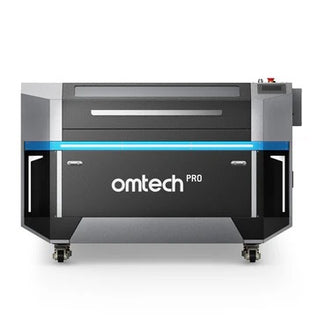
- CO2 laser engravers: Better for faster cutting, thick wood, and clear acrylic.
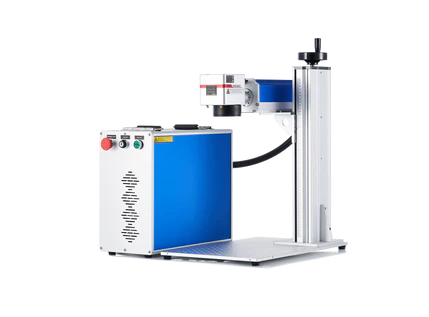
- Fiber laser engravers: Required if you plan to deeply engrave bare metals or hard stones, as diode and CO2 beams will simply reflect off metal.
This is the advantage of starting with a clear picture of what kind of projects you may be interested in. It prevents you from buying the wrong machine that will leave you unable to make what you want.
Buying a Laser Engraving Machine as a Beginner: 7 Quick Tips
- Buy the machine that best fits the products you envision making. Diode lasers suit many wood, leather, and coated-material projects; CO₂ lasers are better for acrylic, wood, and other nonmetals; fiber lasers excel at metal marking and engraving.
- Consider the power of the machine: Choose enough power for your actual projects rather than simply buying the most powerful machine.
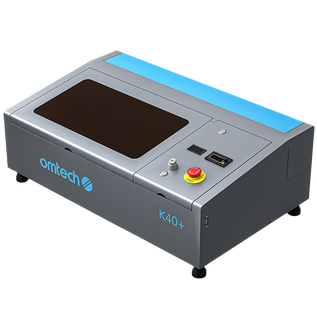
- Ensure the engraving bed accommodates your typical workpieces. A larger bed is useful for signs, batches of products, and larger projects. Entry-level CO2 lasers like K40-style laser engravers usually have a decent working space. The OMTech K40+ laser engraver has an 8" x 12" working area.
- Consider an enclosure, suitable exhaust or filtration, protective features, and the fumes generated by your materials. An enclosed frame is essential for safe use, especially in an apartment.
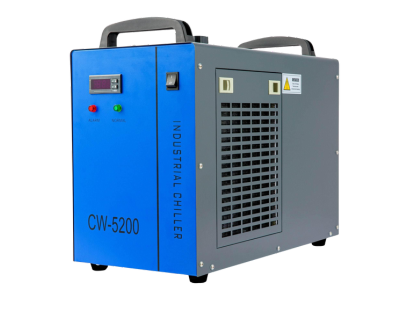
- Account for accessories, ventilation, cooling, maintenance, replacement parts, and materials, not just the machine's purchase price
- Choose a reputable supplier that offers technical support, replacement parts, a clear warranty, and useful learning resources.
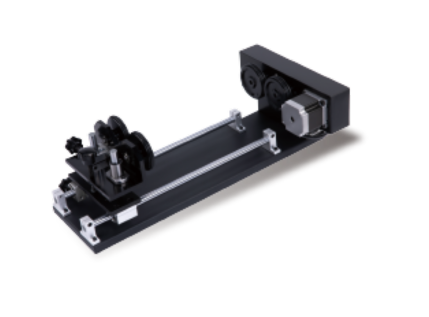
- Consider rotary attachments, air assist, cameras, pass-through openings, or other accessories you may need as your skills develop.
In summary, when buying a laser engraving machine as a beginner, focus on your intended applications, material compatibility, laser power, budget, safety requirements, and ease of use. These factors help you choose a machine that meets your current needs without limiting future growth.
Recommended OMTech Laser Engravers For Absolute Beginners
If you are ready to buy your first machine, the best OMTech laser engraver for you depends on the materials and projects you identified. Here are two options worth considering:
i. OMTech K40+ 45W Desktop CO2 Laser Engraver: For Wood, Acrylic, and Everyday Crafts:
If you want to start with personalized coasters, wooden keychains, acrylic ornaments, or small signs, the OMTech K40+ Desktop CO2 Laser is a practical entry point. Its 45W CO2 laser is suited to engraving and cutting many common nonmetal craft materials, while its 8" × 12" work area gives you room to experiment with small projects without committing to a large workshop machine. Check your planned material thickness and ventilation setup before purchasing.
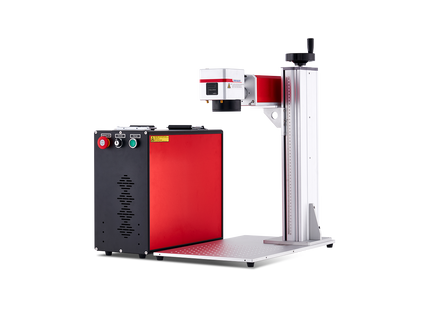
ii. OMTech Galvo 30W Fiber Laser Engraver: Best Beginner Fiber Laser For Bare-Metal Engraving
If you are more interested in engraving metal tags, tools, jewelry, or branded metal accessories, a fiber laser is a better match than a CO2 machine. The OMTech Galvo 30W offers a compact, integrated setup with a 5.9" × 5.9" marking area, making it worth considering for small metal items and detailed personalization. For deep metal engraving or higher-volume work, compare higher-power fiber options before deciding.
Remember, start with your target materials, check the machine's supported applications, and budget for suitable ventilation, training, and accessories as well as the engraver itself.

Step#4: Learn the Software and Master Different Settings For Different Projects
Next, focus on gaining mastery with laser engraving software. Ideally, you want to start with LightBurn. This is the industry standard, and it has everything you need to practice on. But if you cannot afford LightBurn just yet, there are free decent options you can try that are free. LaserGRBL is a great second choice for a beginner. Consider the following:
- LightBurn: The industry-standard paid software used by most hobbyists and pros across diode, CO2, and fiber platforms (offers a 30-day trial).
- Inkscape / Design Tools: You will need this for creating or editing 2D vector files and line art before importing them into your laser software.
These are the two platforms to get familiar with as a beginner. LightBurn or LaserGRBL for getting familiar with laser engraving software, and Inkscape for basic vector design.
For mastering laser engraving settings for different projects, you can access speed settings charts from the manufacturer, or build your own library by running different material test grids to find out which settings are best for which projects. Never engrave a final piece without running a material test grid first to dial in your exact speed and power.
Key Tips For Process and Safety
- Ensure proper ventilation: Always run an exhaust fan or vent smoke/fumes outdoors (especially when cutting plastics or treated woods).
- Use the right eye protection: Always wear the specific safety glasses matched to your laser's wavelength, even if the machine has a protective shield.
You may want to explore how to choose the right safety glasses for laser engraving.
Step#5: Consider Launching Your Business in the Long Run
You know you are ready to launch a laser engraving business when you have accumulated enough experience, experimented with enough projects and different materials, and found your own unique creative touch and identity as a maker.
The market for generic laser-engraved trinkets and cutting boards is heavily saturated. If you plan to sell, veterans suggest combining laser work with another unique craft or targeting a hyper-specific niche rather than selling generic personalized items. At this point, you can consider launching a business.

Final Thoughts on Starting in Laser Engraving
Learning how to start laser engraving does not have to mean buying an expensive machine and trying to master everything at once. The best starting point is to choose a few projects you genuinely want to make, learn how the materials and machines work, and get some hands-on experience before investing heavily.
Once you have chosen a laser engraver that matches your interests, take time to understand its software, safety requirements, and settings. Start with simple projects, test on scrap materials, and build your skills one engraving at a time. You will learn more from a handful of well-planned projects than from rushing into complicated designs before you are ready.
And if you eventually want to turn laser engraving into a business, there is no need to hurry. Focus first on making products consistently and finding a style or niche that makes your work stand out. With the right equipment, practice, and patience, what begins as a creative hobby can grow into something much bigger.
You may also be interested in this complete guide on the best wooden plaque engraving ideas for beginners.